X-ProtectionFor: Security administrators5 min readUpdated
Add domains and read domain health
See whether ownership, MX, SPF and DMARC are right, and copy the exact record to fix.
Open Domains
Choose Setup, then Domains. Each domain shows check badges for ownership, MX pointing to X-Protection, SPF and DMARC.
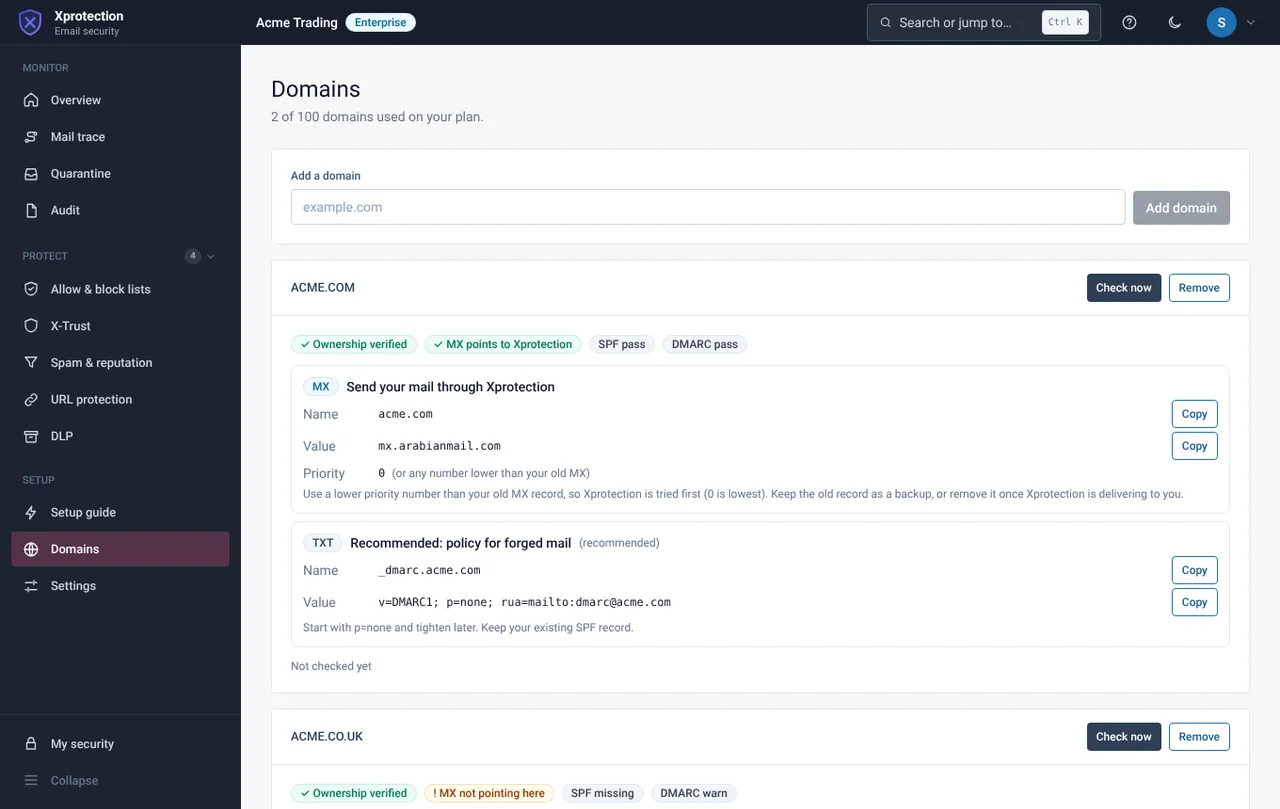
Add a domain
Type the domain and select Add domain. Your plan limits how many you can add.
Open Domain health
Choose Settings, then Domain health. It explains in plain words what is wrong and gives the exact record, with a Copy button for each value.
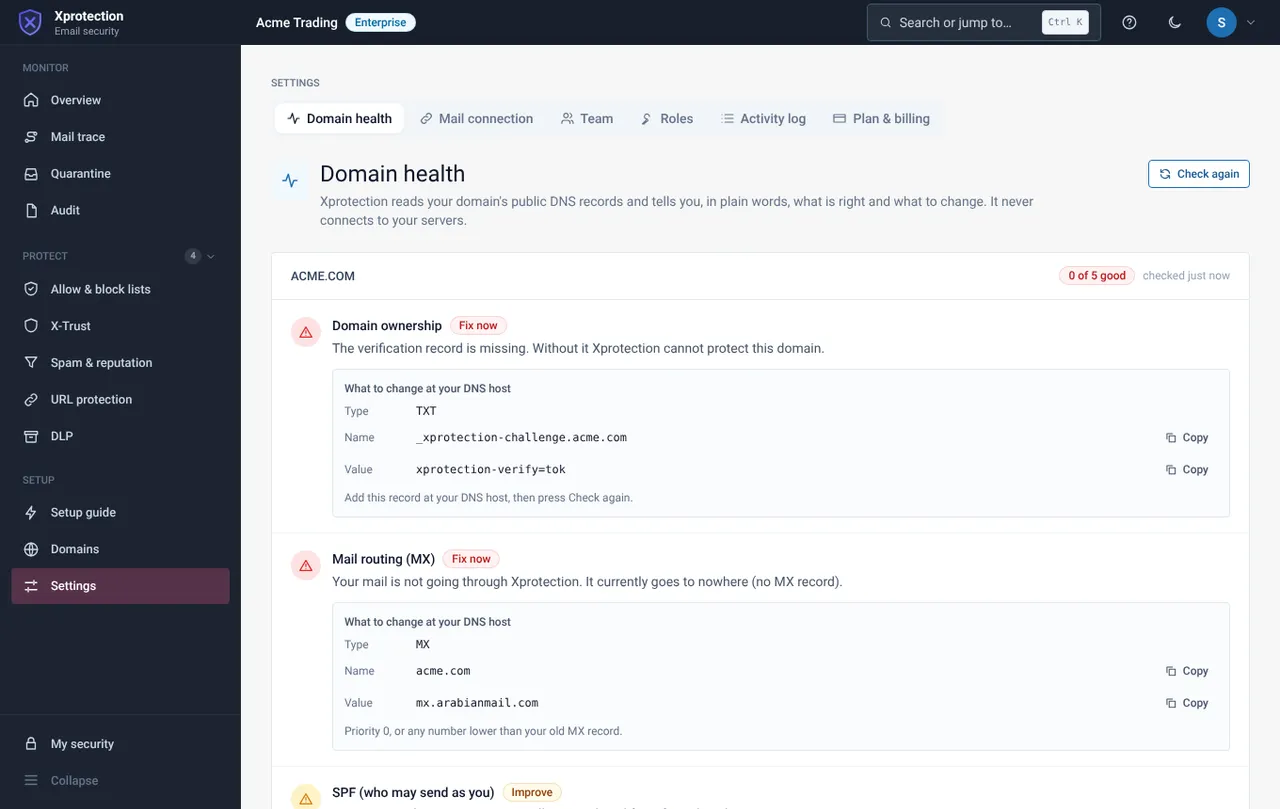
Fix in order and check again
Fix ownership first, then MX, then SPF and DMARC. Select Check again after each change. DMARC starts as monitoring only; tighten it later.
Still need help?
Tell us what you were trying to do and what you saw on screen. We will help you finish it.