Domains, DNS and deliverability made simple
Publish the right DNS records once and keep your mail out of the spam folder. Mail Admin checks every domain and tells you what to fix.
Everything for your domains
Add domains and aliases
Host as many domains as you need and add alias domains that deliver to the same mailboxes.
DKIM signing
Generate a key per domain and selector. Outgoing mail is signed so receivers can trust it.
SPF and DMARC
See the exact SPF and DMARC records for each domain and whether they are published correctly.
MX records
Compare configured and live MX records and override them when your setup is special.
One-click DNS fixes
With a supported DNS provider, missing records can be created automatically.
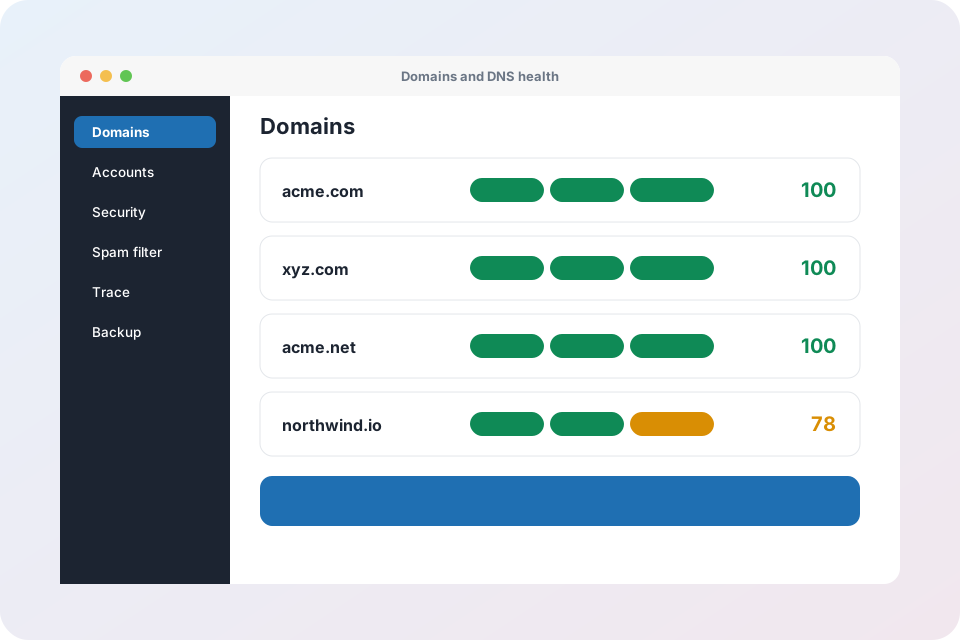
Deliverability score
A health score per domain highlights what is fixable automatically and what needs your attention.
Why DKIM, SPF and DMARC matter
Mailbox providers decide whether to trust your mail by checking these three records. Without them, legitimate mail lands in spam and anyone can pretend to be you.
- DKIM proves a message was not changed
- SPF lists the servers allowed to send for you
- DMARC tells receivers what to do with fakes
Set up a domain in minutes
Add the domain
Enter the domain and choose the DKIM selector.
Publish the records
Copy the records to your DNS or let Mail Admin create them.
Check the score
The health score turns green when everything is correct.
Domain and DNS questions
What is a DKIM selector?
A selector is a short name that identifies one DKIM key in DNS. It lets you rotate keys without breaking mail.
Do I have to use a specific DNS provider?
No. You can always copy the records to any DNS provider. Automatic fixes are available for supported providers.
Why does my mail still go to spam?
Check the deliverability score first. Missing or wrong SPF, DKIM or DMARC records are the most common cause. A new domain also needs time to build a reputation.
Can one mailbox receive mail for several domains?
Yes. Alias domains deliver to the same mailboxes, and catch-all addresses can collect everything sent to a domain.
Get your domains healthy
Request an account and add your first domain today.
Explore Mail Admin
- Mail Admin overview – every feature on one page
- Domains, DNS and deliverability – DKIM, SPF, DMARC, MX records and health score
- Mailboxes, webmail and routing – accounts, forwarders, catch-all, auto-replies and filters
- Security, spam and virus protection – login protection, IP blocking, send limits, Rspamd and ClamAV
- Tenants and client portal – branding, plans, roles and bulk import
- Operations: trace, monitoring, backup and migration – server health, mail queue, backups and IMAP migration
- X-Protection email security – the security layer that sits in front of any mail system