X-ProtectionFor: Security administrators4 min readUpdated
Tune spam filtering for your own domains
Choose strictness and what happens to spam without touching the platform.
Open Spam & reputation
Choose Protect, then Spam & reputation.
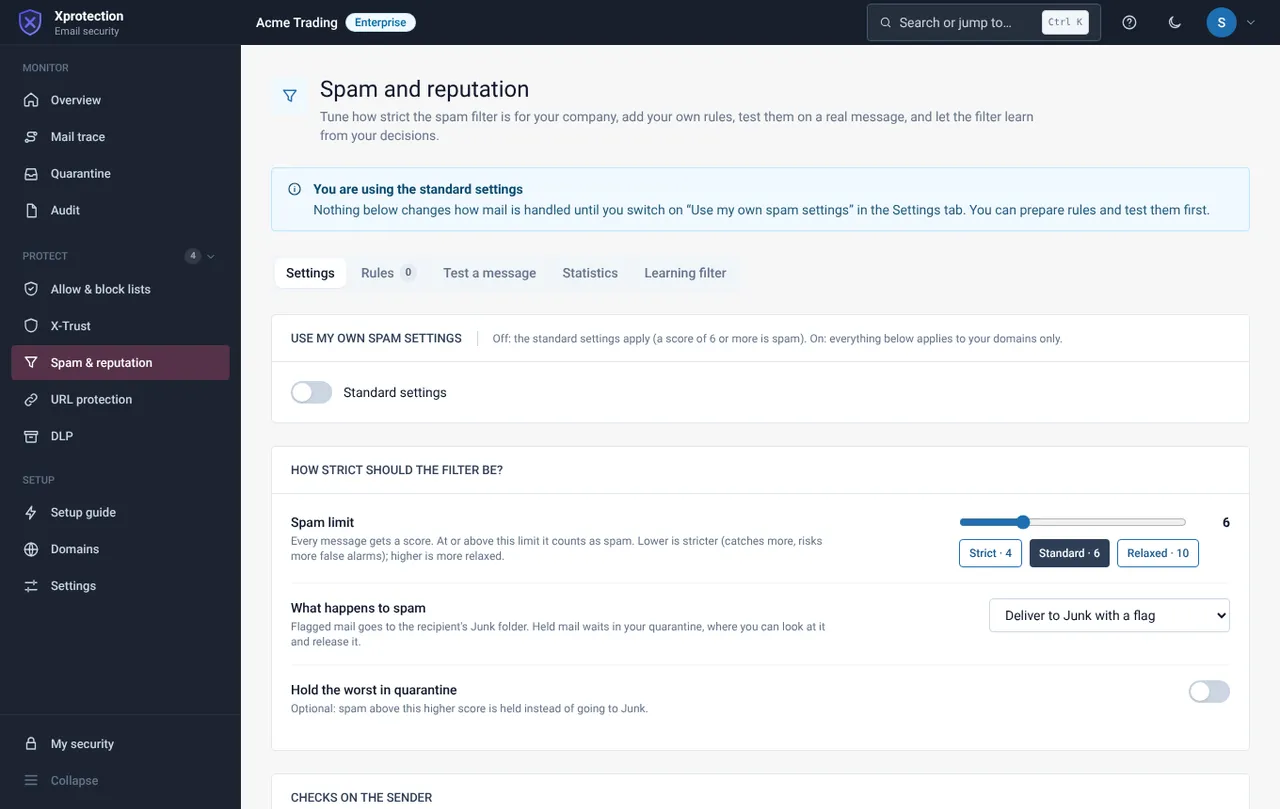
Use your own settings
Switch on Use my own spam settings. Otherwise the standard settings apply.
Set the limit and the action
Choose the spam limit from Lenient to Strict (Standard is the right start), then deliver spam to the Junk folder with a flag or hold it in quarantine.
Use the other tabs
Rules (your own match rules), Test a message, Statistics and Learning filter, which learns from what you mark as spam or not spam.
Still need help?
Tell us what you were trying to do and what you saw on screen. We will help you finish it.