Turn on X-Trust impersonation protection
Catch fake executives, urgent payment requests and look-alike domains, starting in monitor mode.
Open X-Trust and switch it on
Choose Protect, then X-Trust. The first time you must accept a consent notice. The version you accepted is recorded.
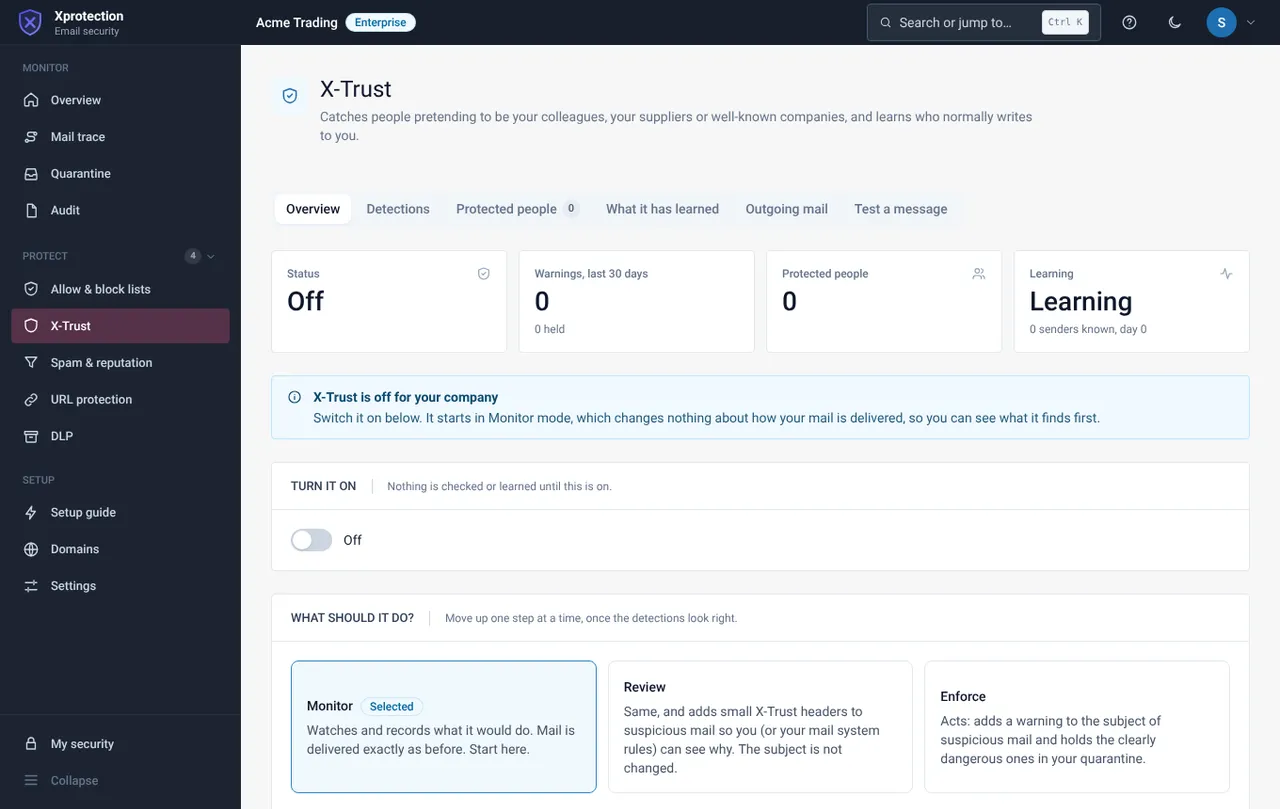
Choose a mode
Start with Monitor. It only records, and mail is delivered exactly as before. Review adds a warning header to suspicious mail. Enforce adds a warning to the subject and holds the clearest cases.
Add protected people
Open Protected people and add the people attackers imitate (the director, finance staff) with their usual addresses.
Review detections weekly
Open Detections and mark each as This was fine or Bad. It learns from your answer.
Test a message
Use Test a message to paste a suspicious e-mail and see its score and the reasons before changing any setting.
Still need help?
Tell us what you were trying to do and what you saw on screen. We will help you finish it.