Mail Admin (Client Portal)For: Admins and helpdesk3 min readUpdated
Check delivery status
See how many messages were delivered, deferred, bounced or rejected, and the top problems.
Open Delivery status
Choose Mail flow, then Delivery status. Pick 24 hours, 7 days or 30 days.
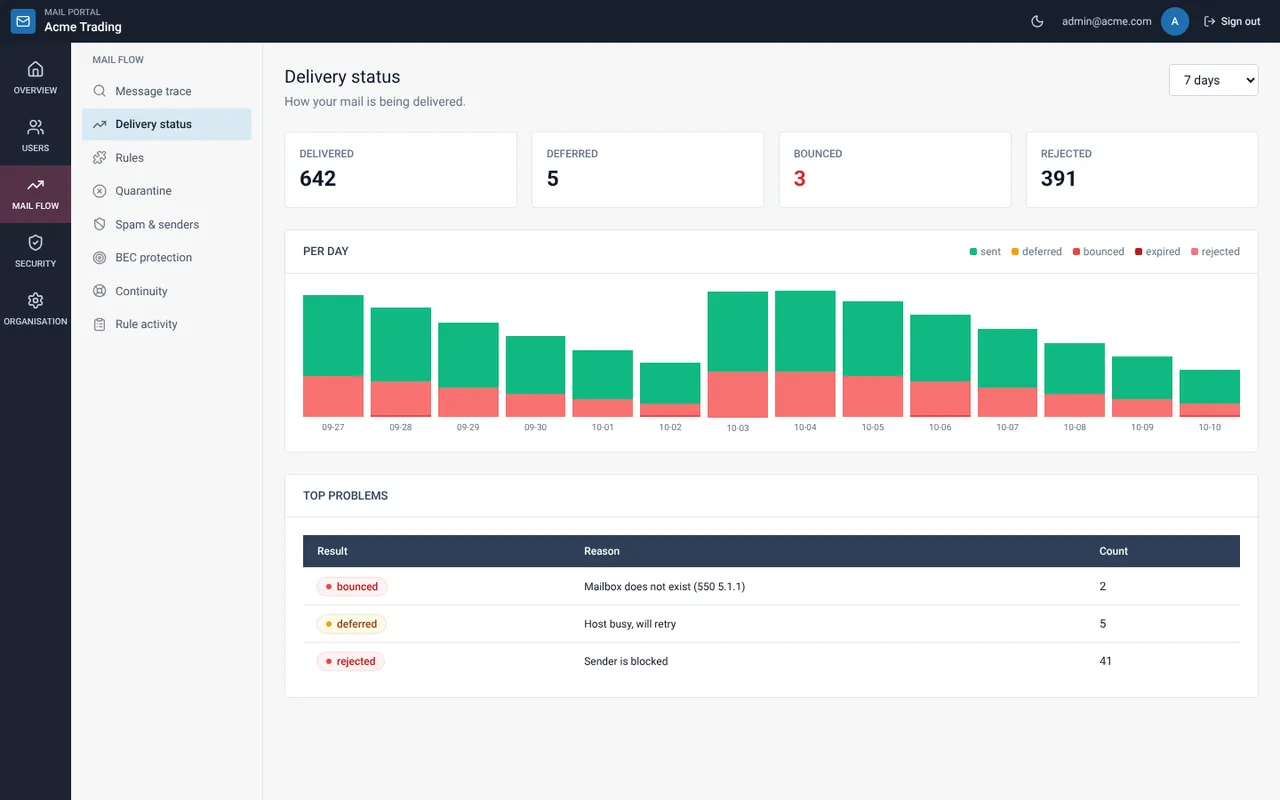
Read the four tiles
Delivered, Deferred, Bounced and Rejected show totals for the period. A red number under Bounced deserves a look.
Open the top problems
Each problem lists the result, the reason and a count. Use Message trace to see the individual messages.
Still need help?
Tell us what you were trying to do and what you saw on screen. We will help you finish it.