Mail Admin (Client Portal)For: Organisation administrators5 min readUpdated
Check your domain and DNS records
See whether your domain is set up so mail is delivered and trusted, and copy the records.
Open Domains
Choose Organisation, then Domains. There are three tabs: Health check, DNS records and Client setup.
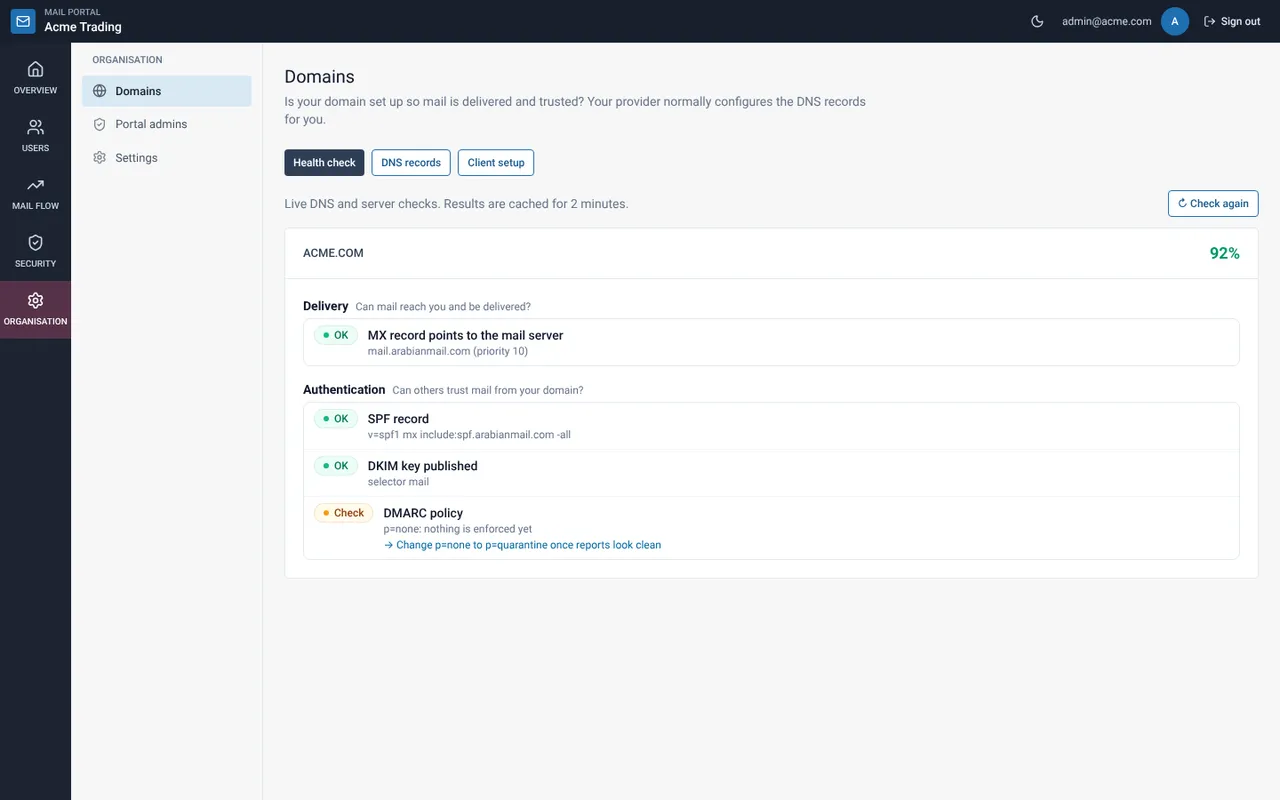
Read the health check
Each check shows OK or Check, with a reason and the fix. Start at the top: delivery first, then authentication.
Open DNS records
The table lists the MX, SPF, DKIM and DMARC records to publish at your DNS host. Select Copy next to a value to paste it.
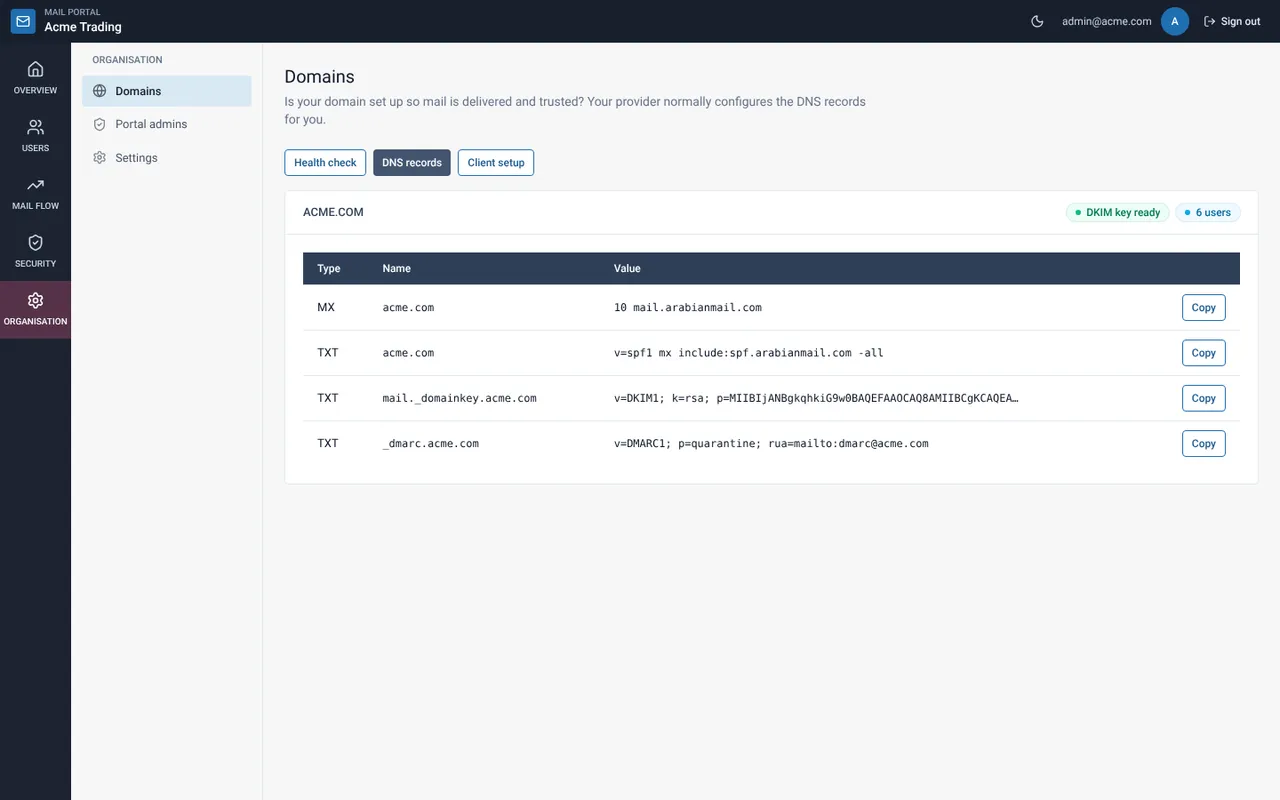
Check again after changes
DNS changes can take a while to spread. Return to Health check and select Check again.
If something goes wrong
I do not manage my DNS
Your provider normally sets the records. Use this page to see what is still missing and send the list to whoever hosts your DNS.
Still need help?
Tell us what you were trying to do and what you saw on screen. We will help you finish it.