Ask your administrator to release a message
When you may not release a message yourself, send a request with a short reason.
Open the message in Quarantine
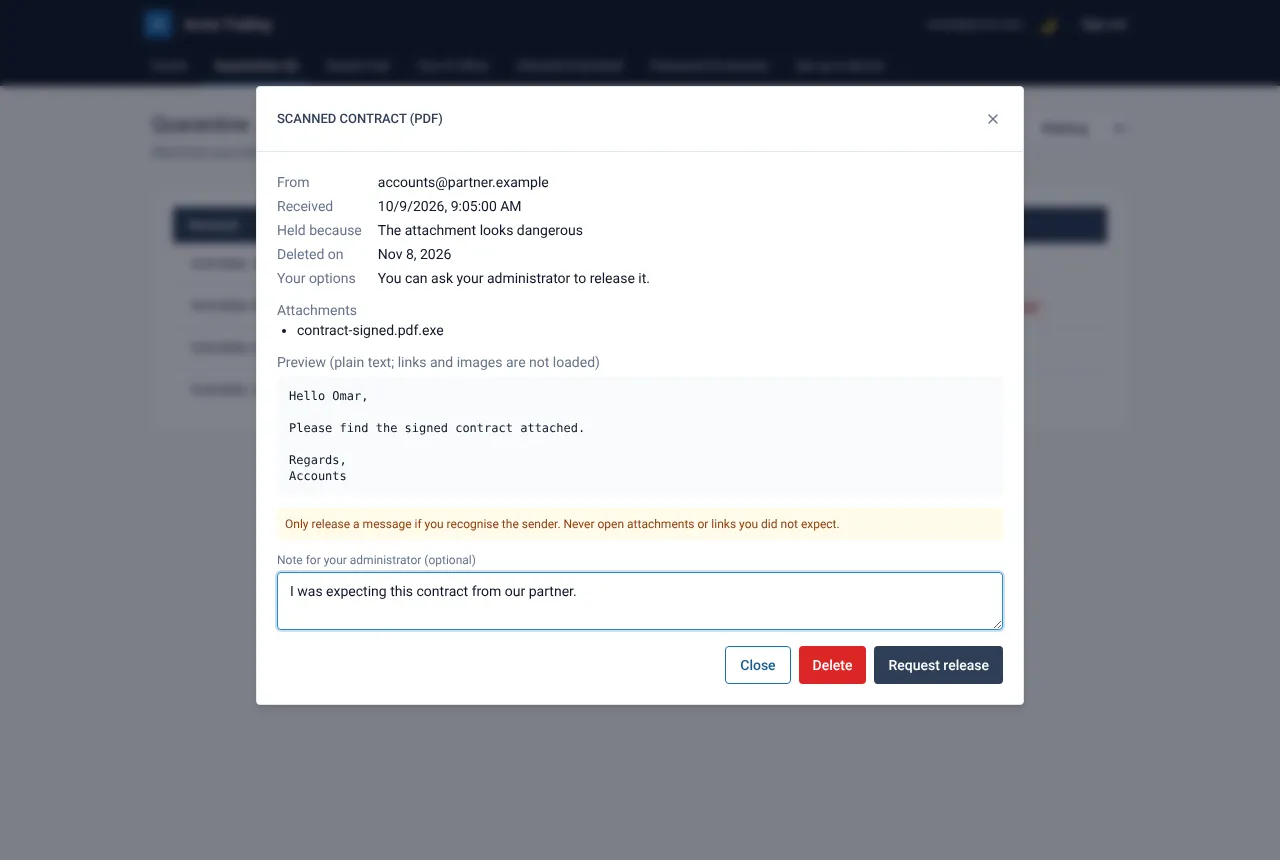
Choose Quarantine and select the message. A yellow notice explains that your administrator releases it on request.
Write a short note
In Note for your administrator (optional) say what you were expecting, for example “Signed contract from our partner”. Specific notes get answered faster.
Select Request release
The message now shows Release requested. Your administrator gets an e-mail, decides and writes to you with the result. Nothing is delivered by the request alone.
If something goes wrong
How long does it take?
It depends on your administrator. If your organisation uses reminders, the request is reminded once and escalated, then expires; you are told in each case.
Still need help?
Tell us what you were trying to do and what you saw on screen. We will help you finish it.