Review mail that was held for you
Find out why a message did not reach your inbox, and release it when it is safe.
Open Quarantine
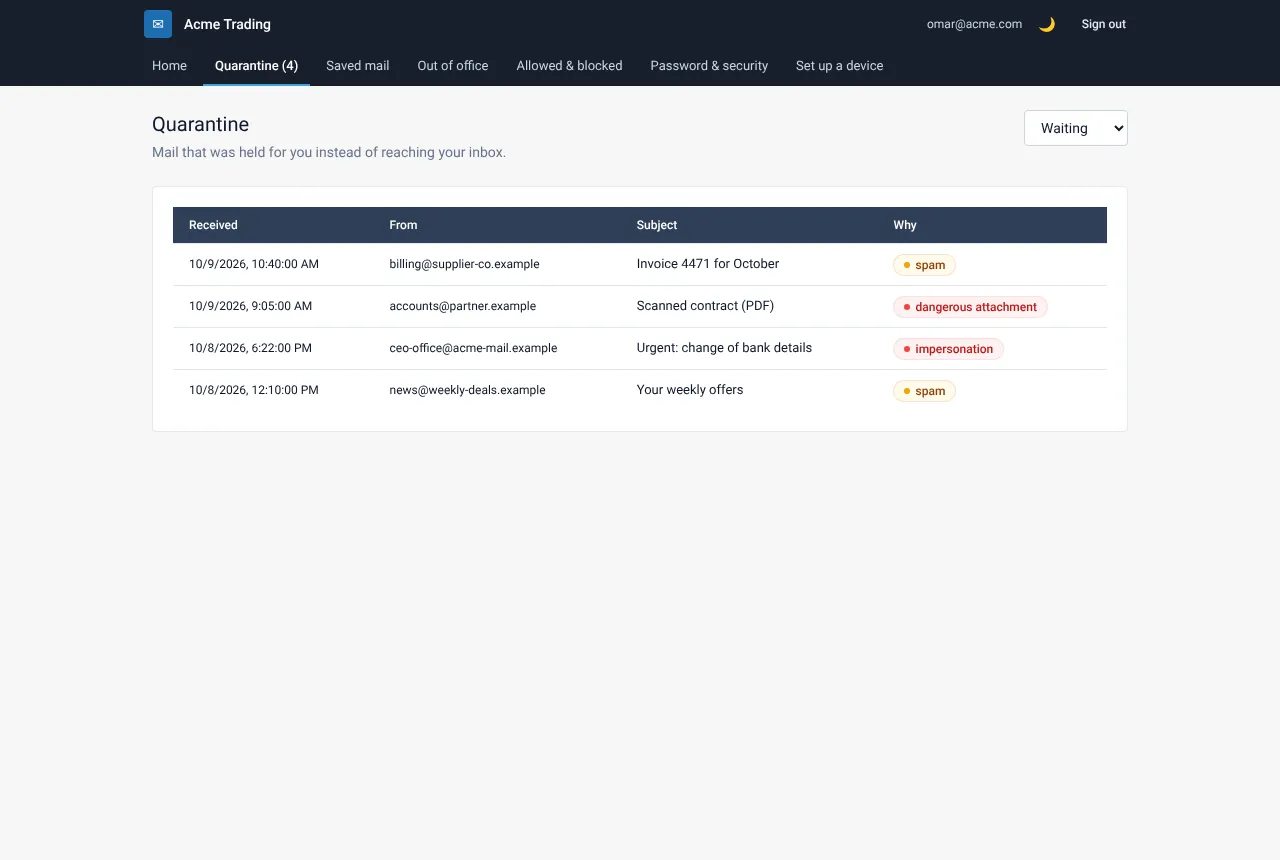
In My Account choose Quarantine. The number next to it is how many messages are waiting. If you do not see the menu item, your organisation does not use this feature.
Open a message
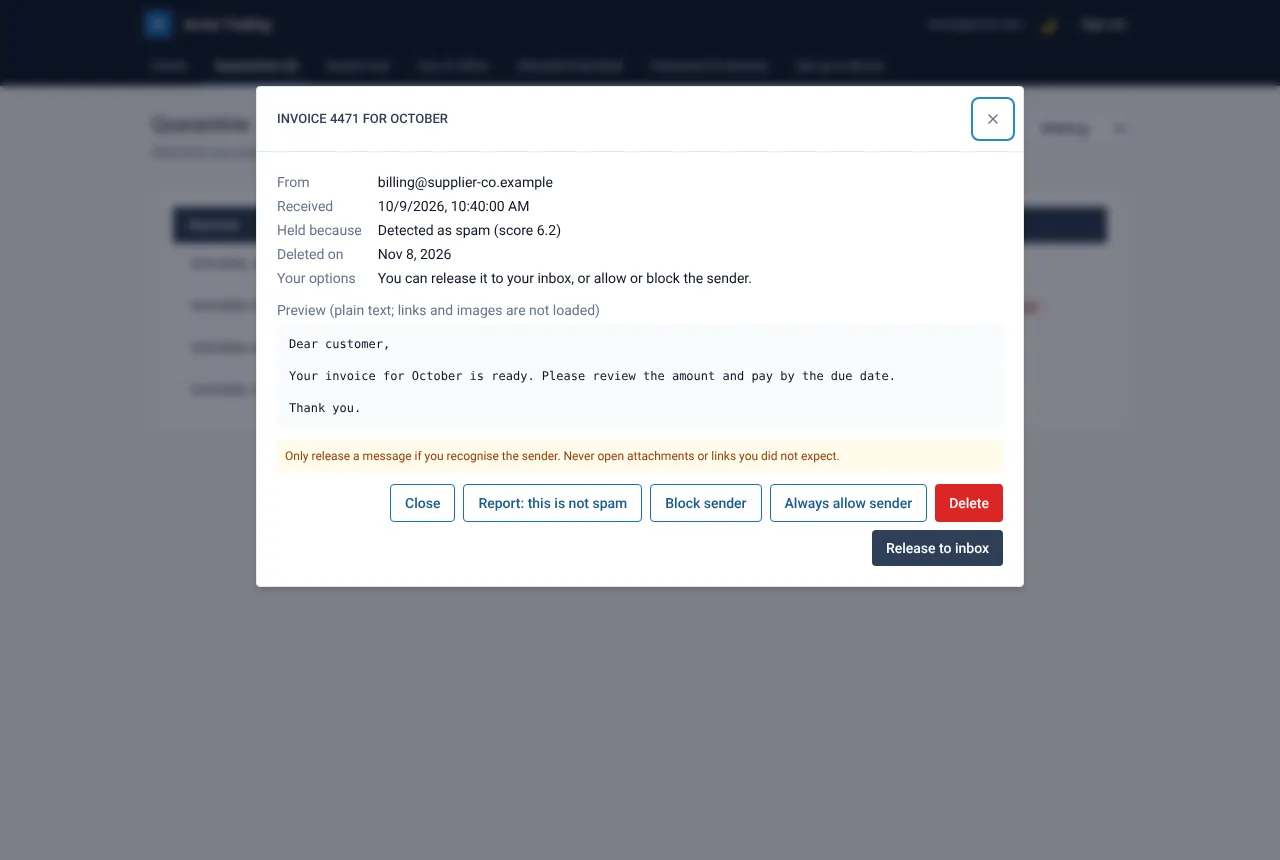
Select a row. You see who sent it, why it was held, a safe preview (plain text; links and images are not loaded), its attachments, the date it will be deleted and Your options.
Decide
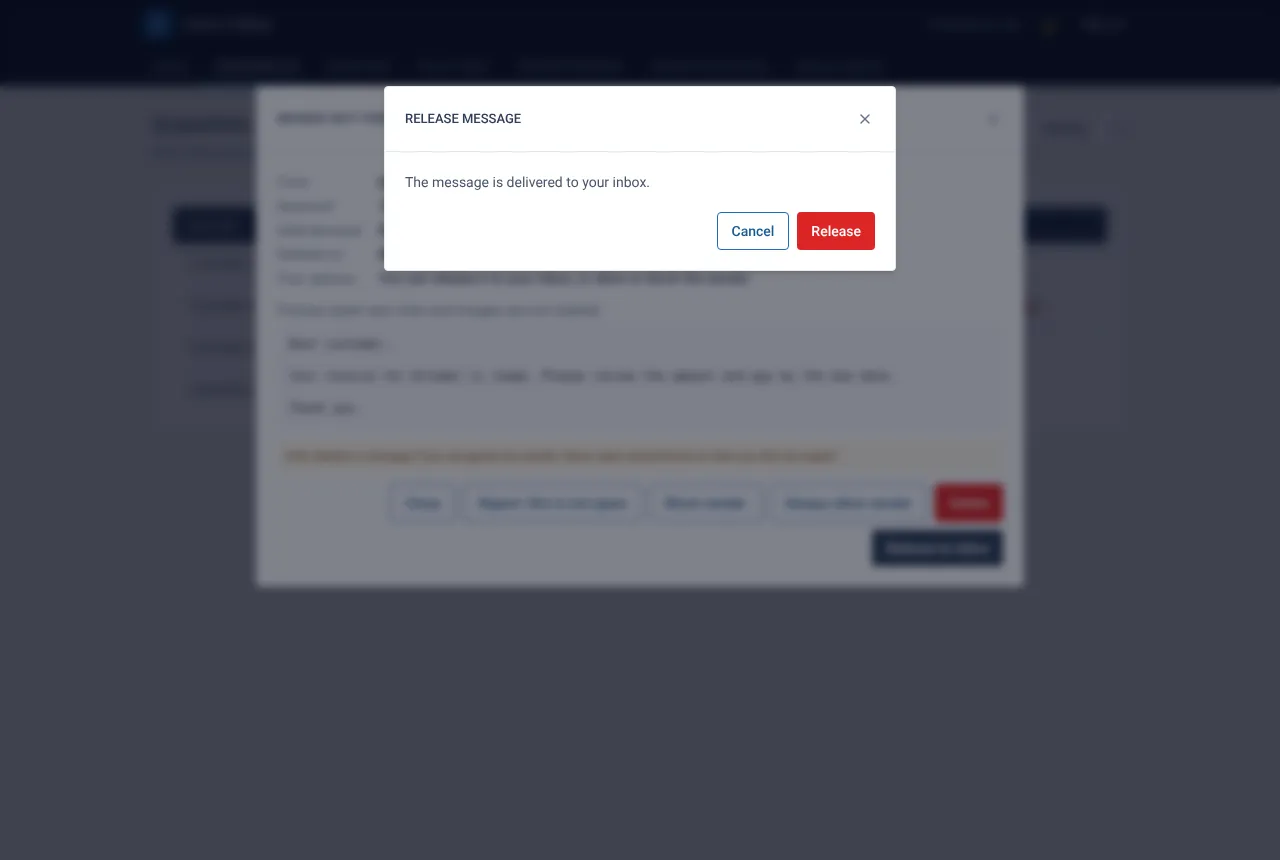
If you recognise the sender and expected the message, select Release to inbox and confirm. The message arrives in your inbox. If it is junk, do nothing. It is deleted automatically on the date shown.
Know what your options mean
Your administrator decides what you may do. You may see Release to inbox, Request release (your administrator decides) or only a note saying your administrator reviews this kind of message.
Reasons you may see
| Why it was held | What it means |
|---|---|
| Spam | It looks like unwanted bulk mail. |
| Dangerous attachment | A file in it could not be trusted. Your administrator usually reviews these. |
| Impersonation | It pretends to come from someone you know. |
| Policy | A rule of your organisation held it. |
If something goes wrong
I cannot find an expected message
Search by the sender. Messages waiting are listed first; switch the filter to Released to see ones you already released. If it is in neither, ask your administrator to run a message trace.
There is no Release button
Your policy does not let you release this kind of message. Use Request release if it is shown, or ask your administrator.
Related guides
Ask your administrator to release a message
When you may not release a message yourself, send a request with a short reason.
Web Mail PortalReport a message that is not spam
Tell your administrator a held message was a mistake, so the filter can improve.
Web Mail PortalWhy was my mail held? Reasons and what to do
A plain-language guide to the reasons a message waits in quarantine and the safe action for each.
Still need help?
Tell us what you were trying to do and what you saw on screen. We will help you finish it.