X-ProtectionFor: Security admins and helpdesk4 min readUpdated
Trace a message: what happened to this email
Search by sender, recipient, subject or IP and open a row for the full story.
Open Mail trace
Choose Monitor, then Mail trace.
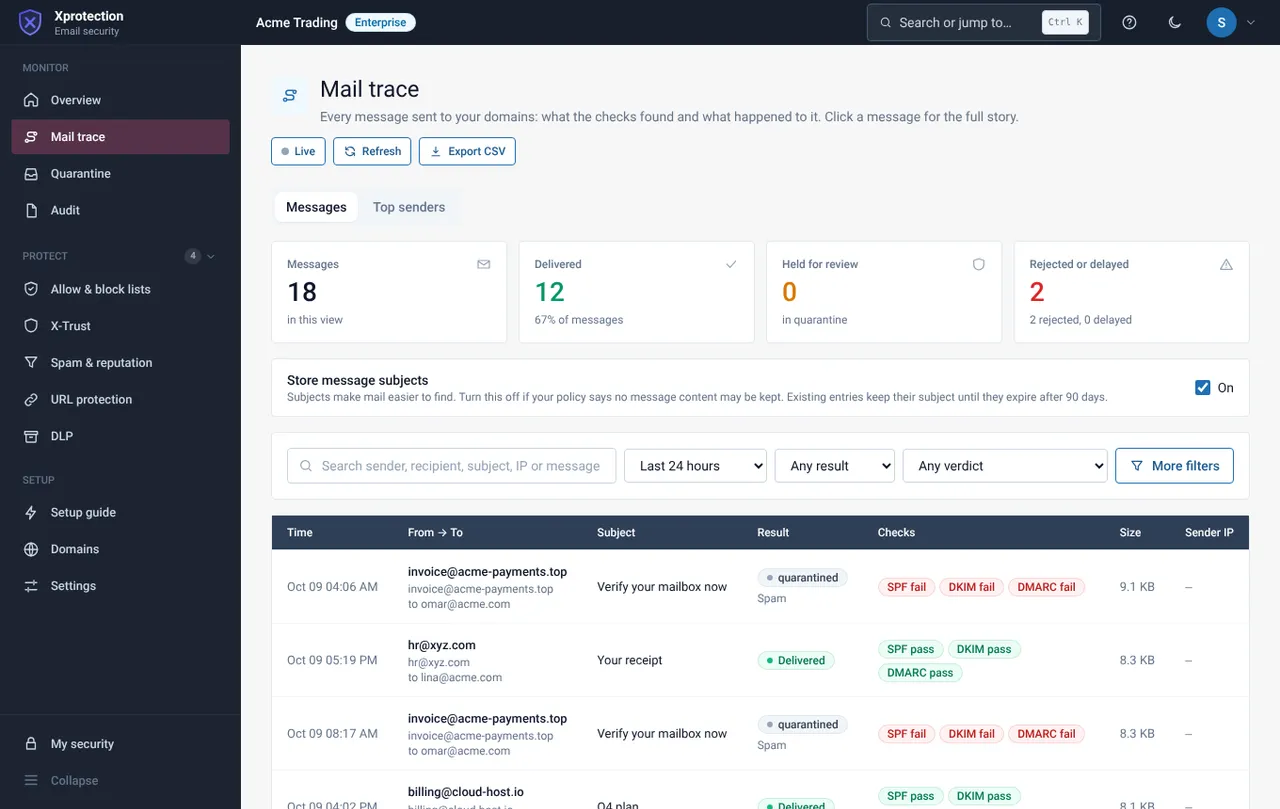
Search and filter
Search by sender, recipient, subject or IP. Pick a time window (default 24 hours) and filter by result or verdict.
Read a row
Each row shows time, from and to, subject, result (delivered, quarantined, rejected), the SPF, DKIM and DMARC checks, size and sender IP. Open a row for the full story.
See the top senders
The Top senders tab ranks who sends the most.
Still need help?
Tell us what you were trying to do and what you saw on screen. We will help you finish it.