Review quarantine and release a message
See what was held and why, then release or delete it.
Open Quarantine
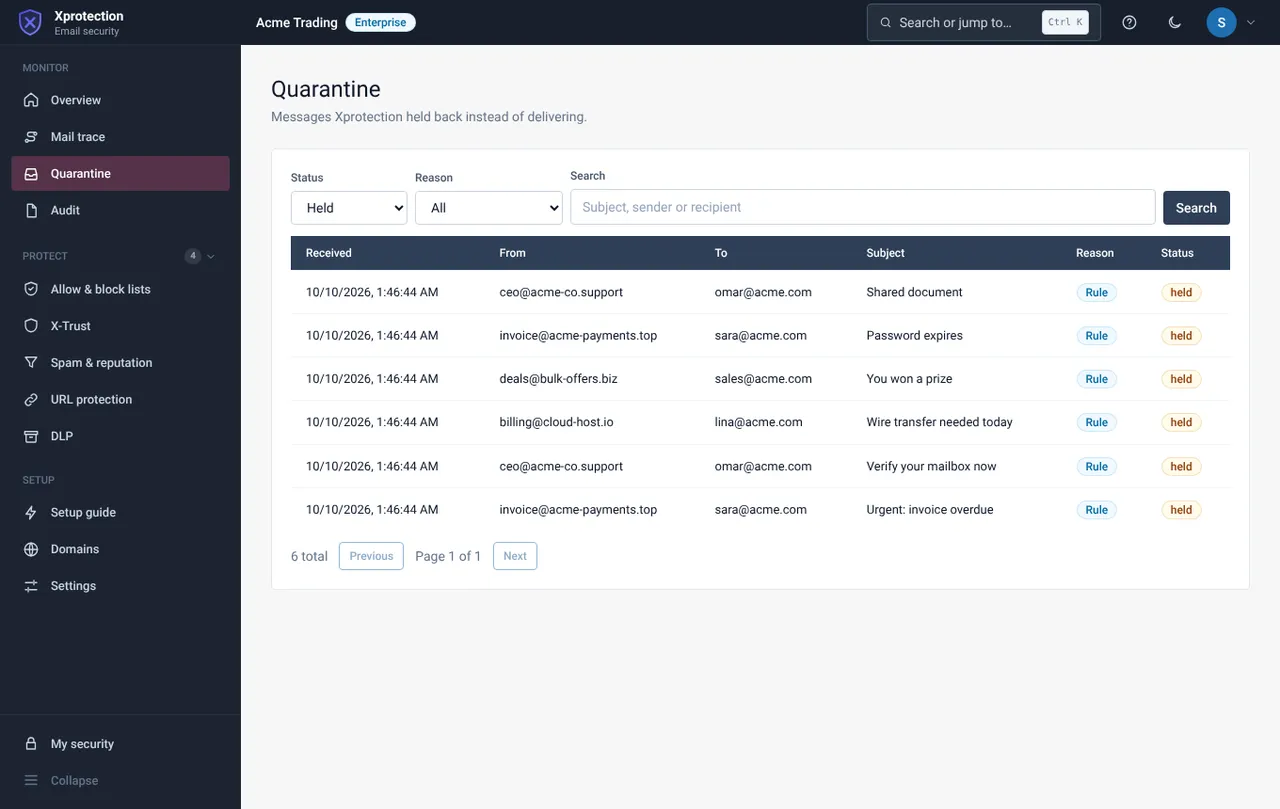
Choose Monitor, then Quarantine. The list shows the reason (for example Phishing URL, Business email compromise), the recipient and the date. Filter by status, reason or text.
Open a message
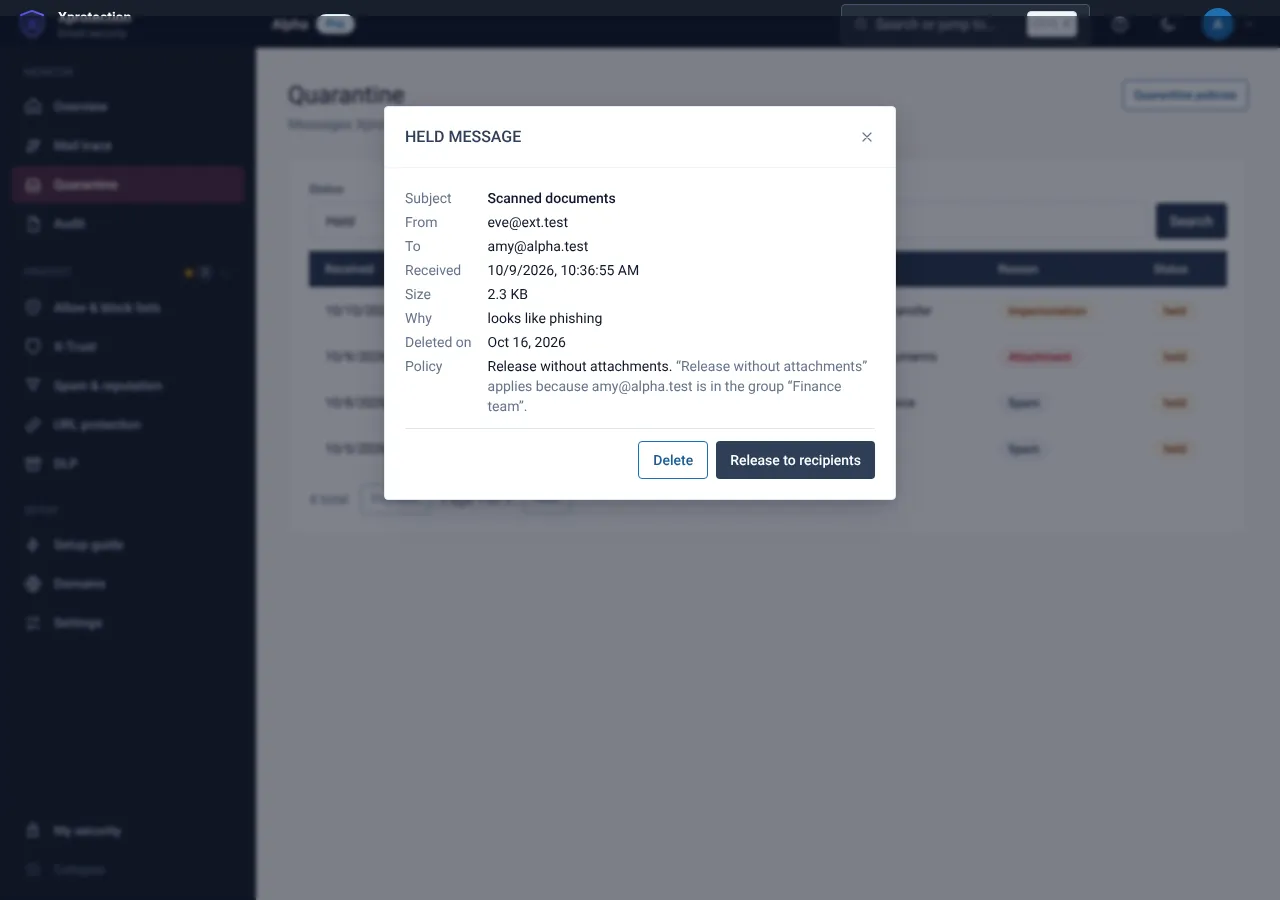
Read the sender, reason and the policy that applied, and why.
Release or delete
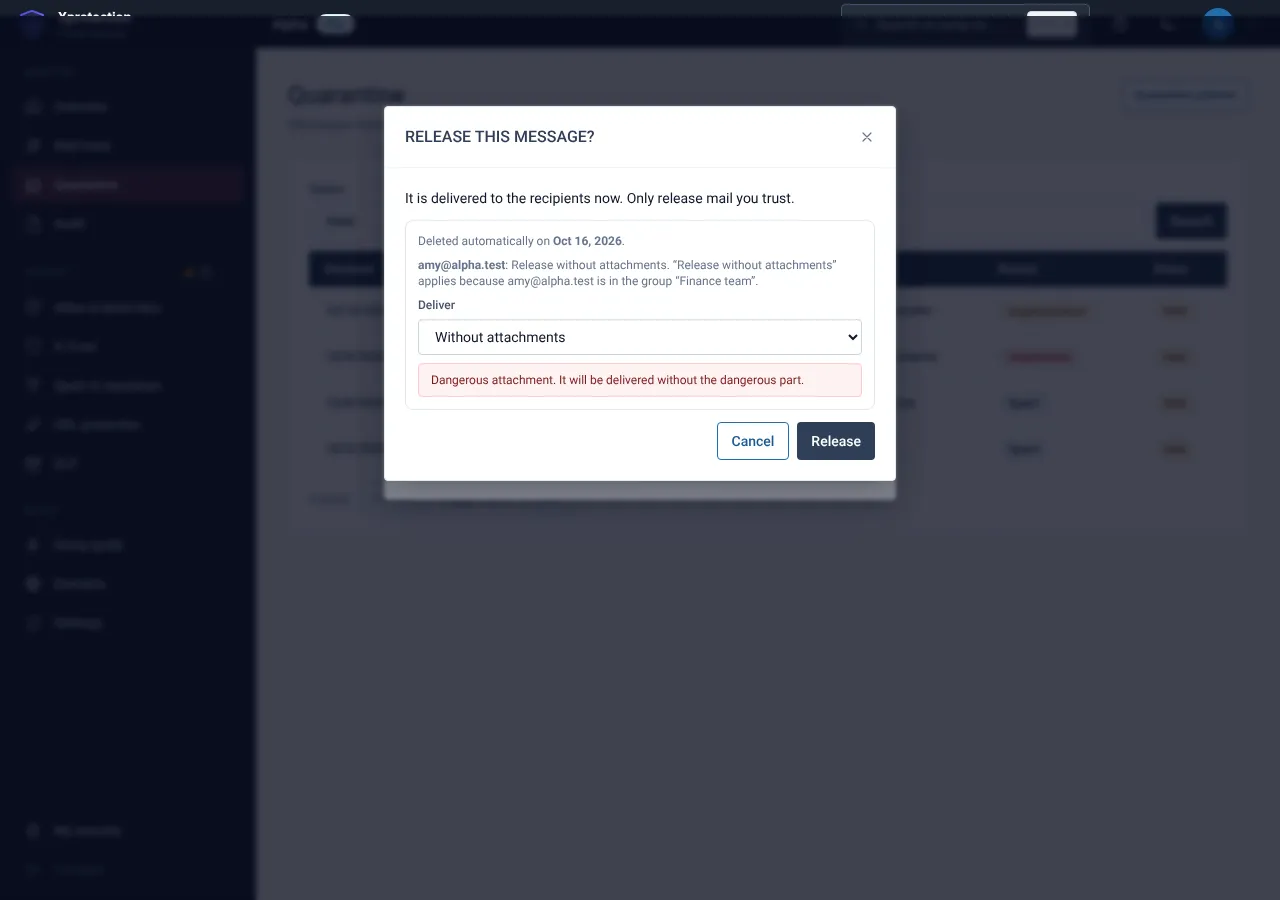
Release delivers the message to the recipient. Delete discards it. Choose how to deliver: as sent, without attachments or as plain text only.
Related guides
Approve or deny release requests
Decide requests one by one or several at once; the person is told the outcome.
X-ProtectionSet quarantine policies and who gets which
Choose what people may do with held mail, and give different policies to people, groups or domains.
X-ProtectionQuarantine settings: digest, re-scan, limits and retention
Configure the digest e-mail, the extra scan before release, limits and how long mail is kept.
Still need help?
Tell us what you were trying to do and what you saw on screen. We will help you finish it.