X-ProtectionFor: Security admins and helpdesk4 min readUpdated
Approve or deny release requests
Decide requests one by one or several at once; the person is told the outcome.
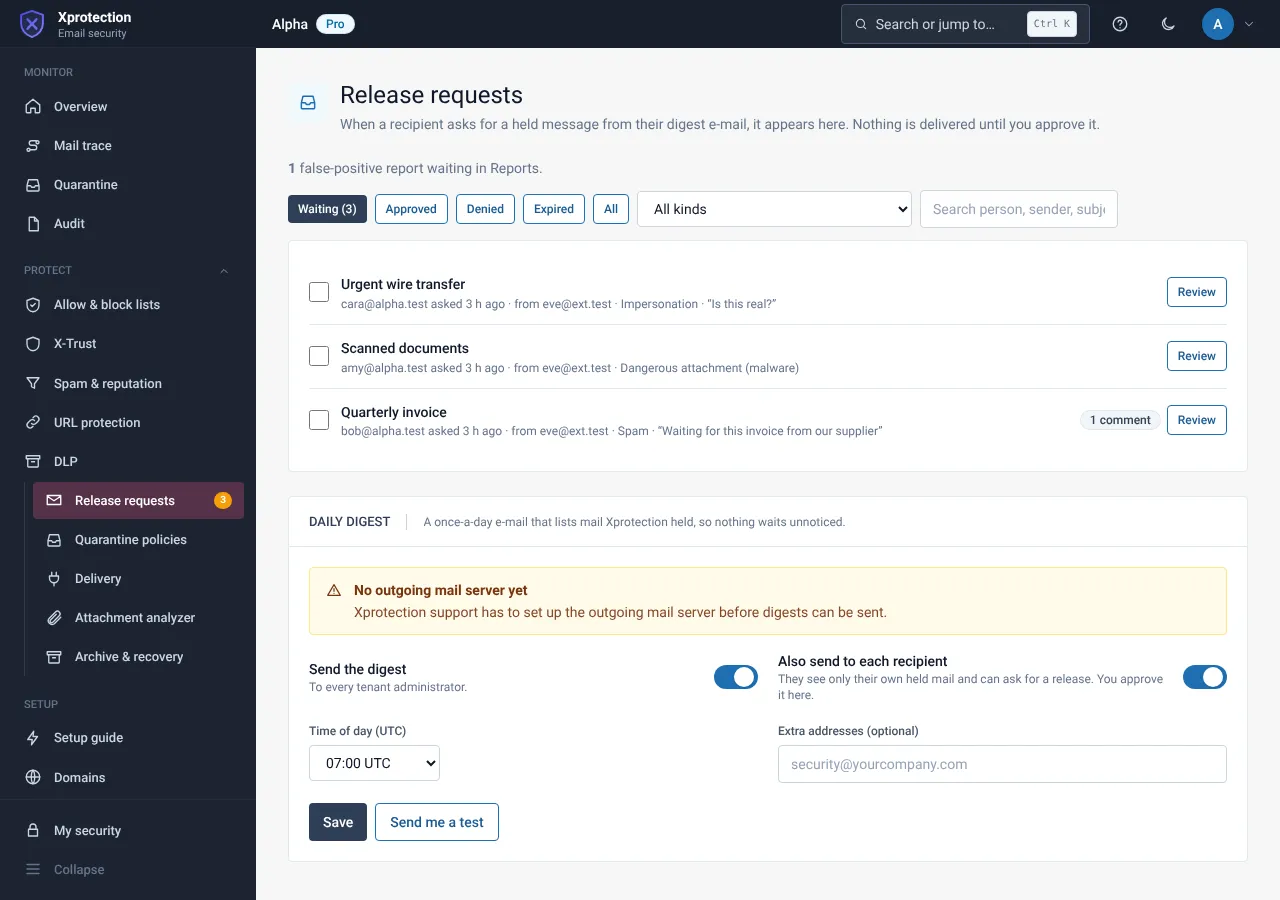
Open Release requests
Choose Monitor, then Release requests (under the group’s arrow if collapsed). Filter by pending, approved, denied or expired.
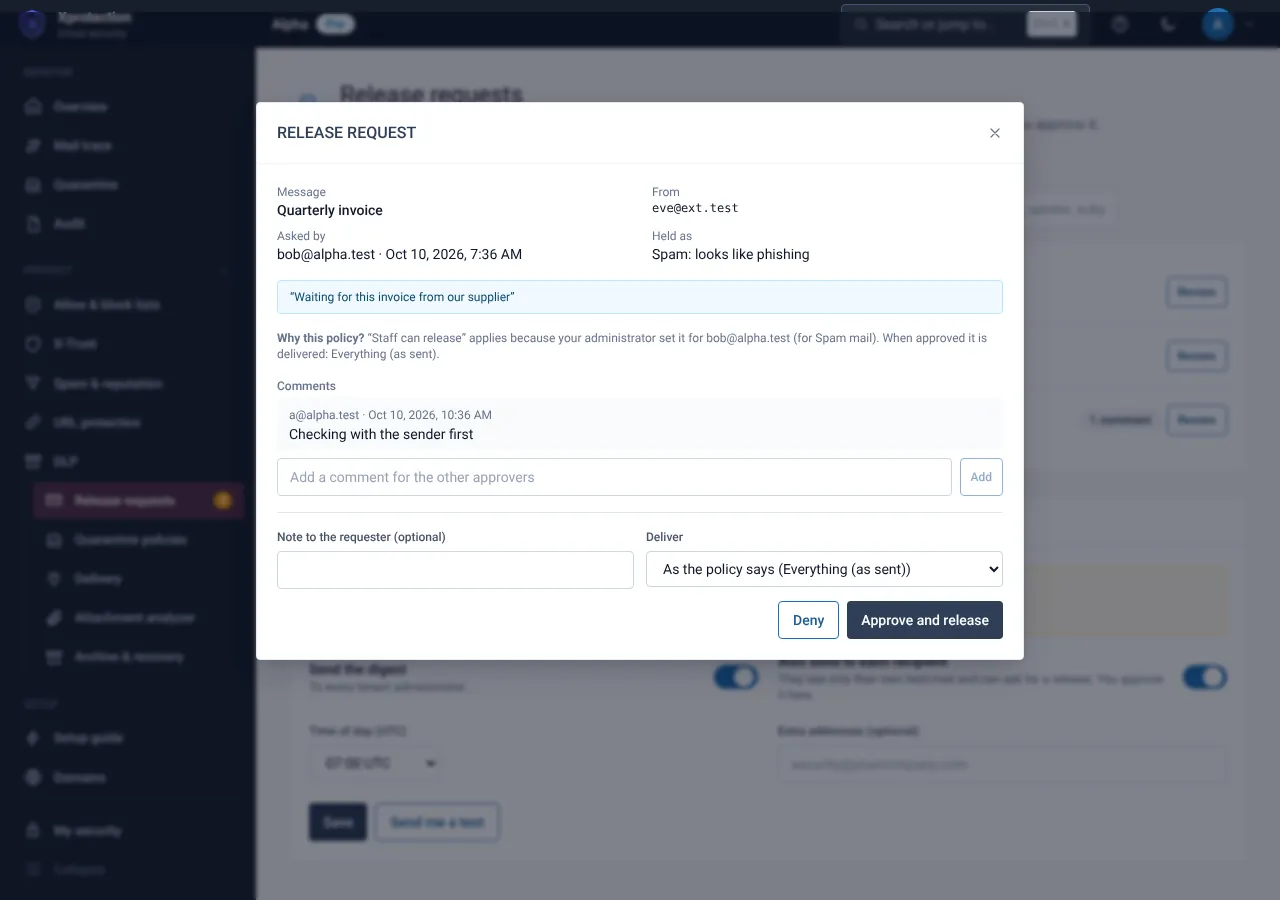
Open a request
Read the message, the reason, the policy and the comments.
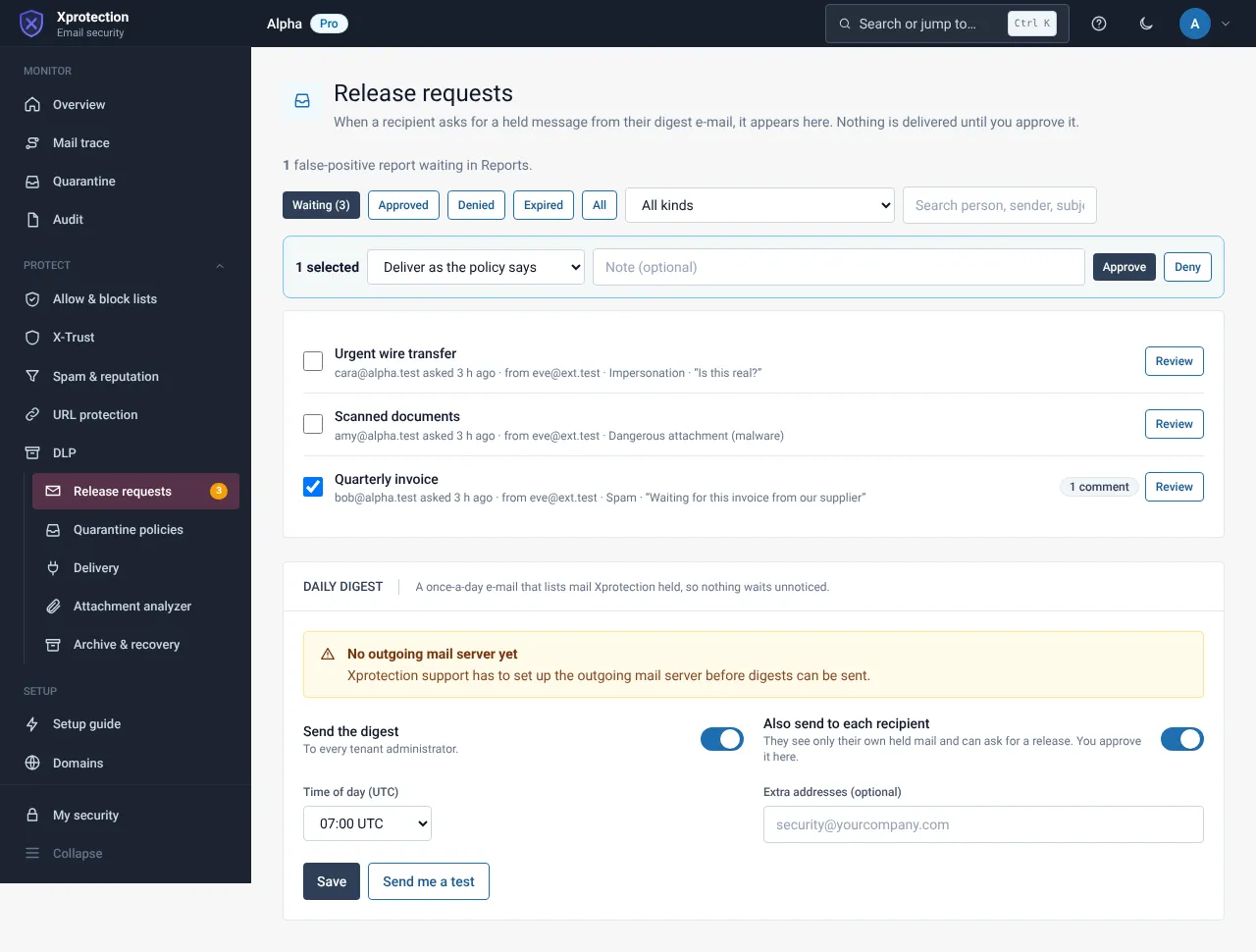
Decide
Select Approve or Deny with a note. To decide several at once, tick the rows first. The person always receives the outcome by e-mail.
Still need help?
Tell us what you were trying to do and what you saw on screen. We will help you finish it.