Mail Admin (Client Portal)For: Organisation administrators3 min readUpdated
Set up alerts
Get an e-mail when a mailbox is nearly full, sign-ins fail or a mailbox may be compromised.
Open Alerts
Choose Security, then Alerts.
Choose who is told
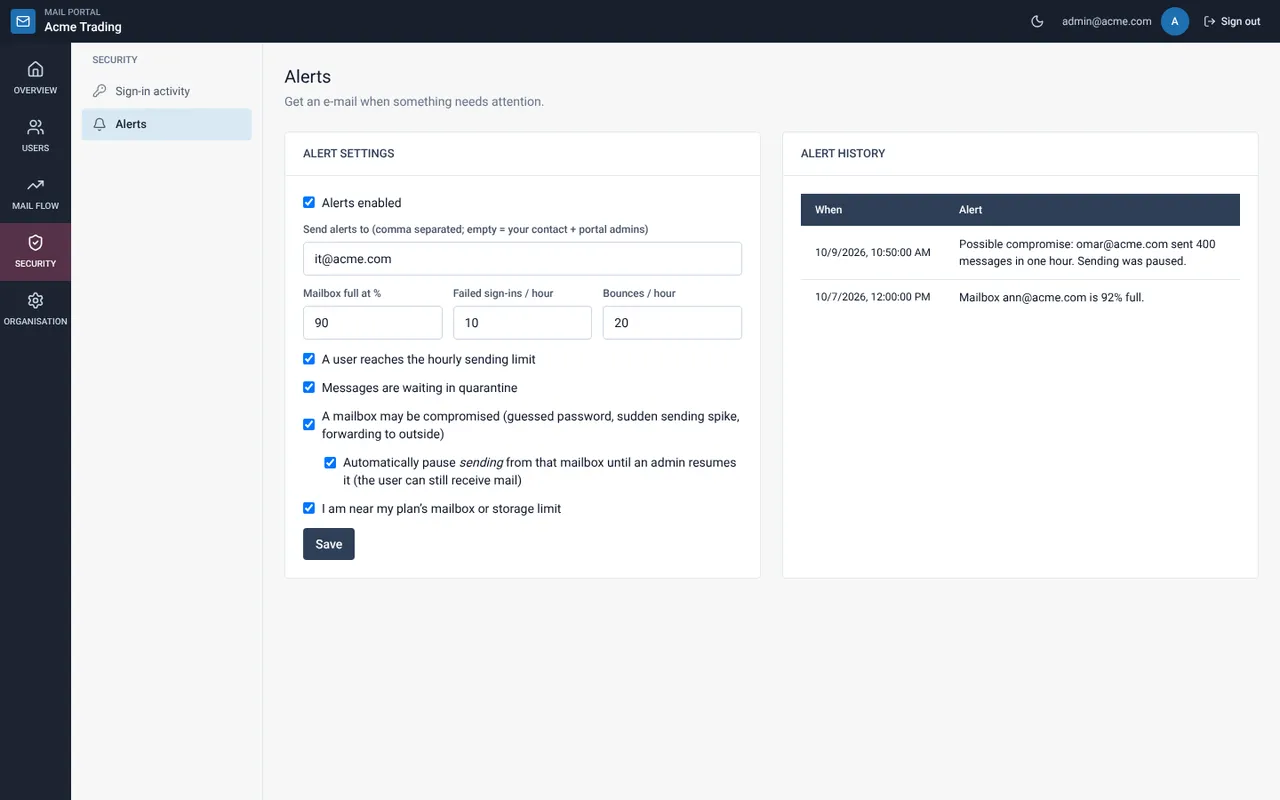
Under Send alerts to list up to 10 addresses. If empty, the contact address and portal admins are used.
Tick the conditions
Set the mailbox-full percentage, failed sign-ins per hour and bounces per hour, and tick the events you want: sending limit reached, messages in quarantine, possible compromise and plan limits.
Consider automatic pause
With “Automatically pause sending from that mailbox” on, a mailbox that shows signs of compromise cannot send until an admin resumes it. The user can still receive.
Select Save
Past alerts appear under Alert history.
Still need help?
Tell us what you were trying to do and what you saw on screen. We will help you finish it.