Mail Admin (Client Portal)For: Admins and helpdesk3 min readUpdated
Review sign-in activity
Spot password guessing and unknown sign-ins to your users’ mailboxes.
Open Sign-in activity
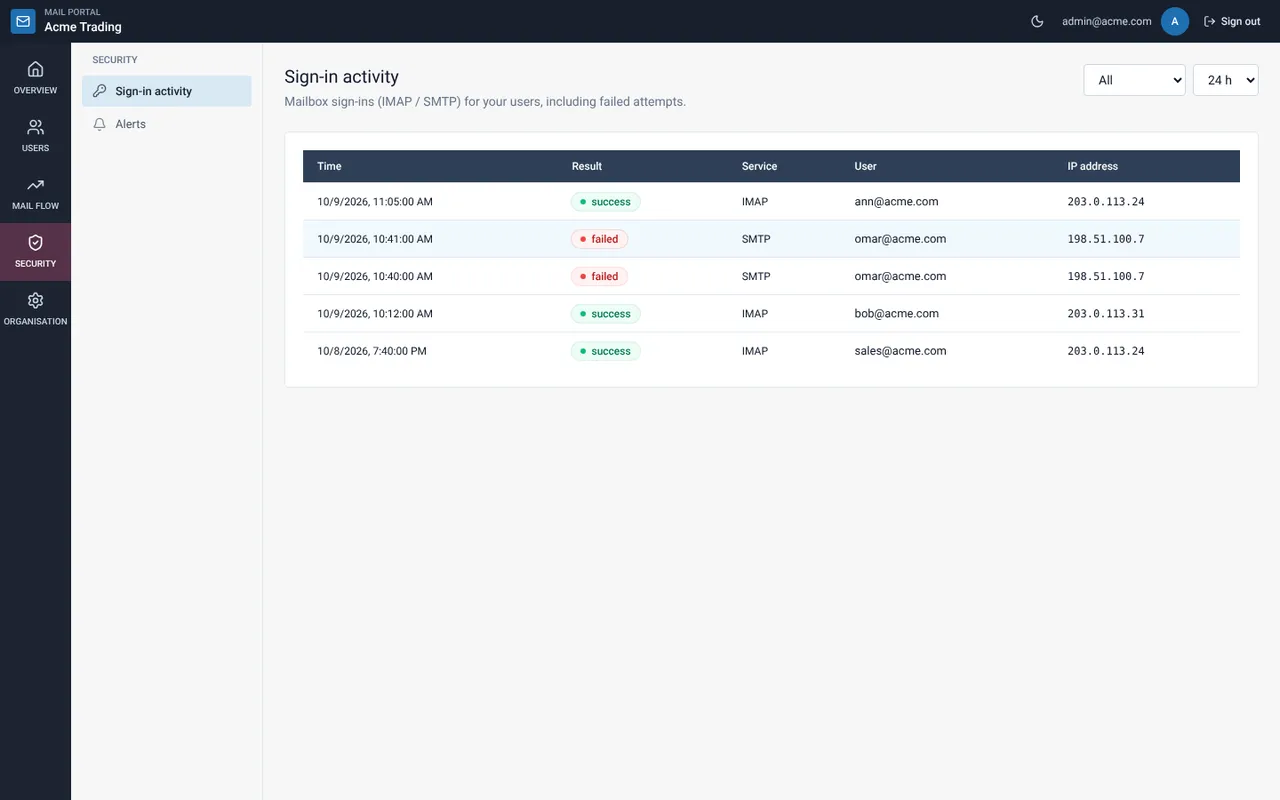
Choose Security, then Sign-in activity. Filter by Failed or Successful and a period from 1 hour to 30 days.
Read the lines
Each line has the time, the result, the service (IMAP for reading, SMTP for sending), the user and the IP address.
Look for patterns
Many failures against one user from an unfamiliar address mean guessing. A successful sign-in from an unexpected address after failures is a warning sign. Pause sending and reset the password.
Still need help?
Tell us what you were trying to do and what you saw on screen. We will help you finish it.