Import many users from a CSV file
Create up to 200 mailboxes at once, check the file first, and download the one-time passwords.
Prepare the file
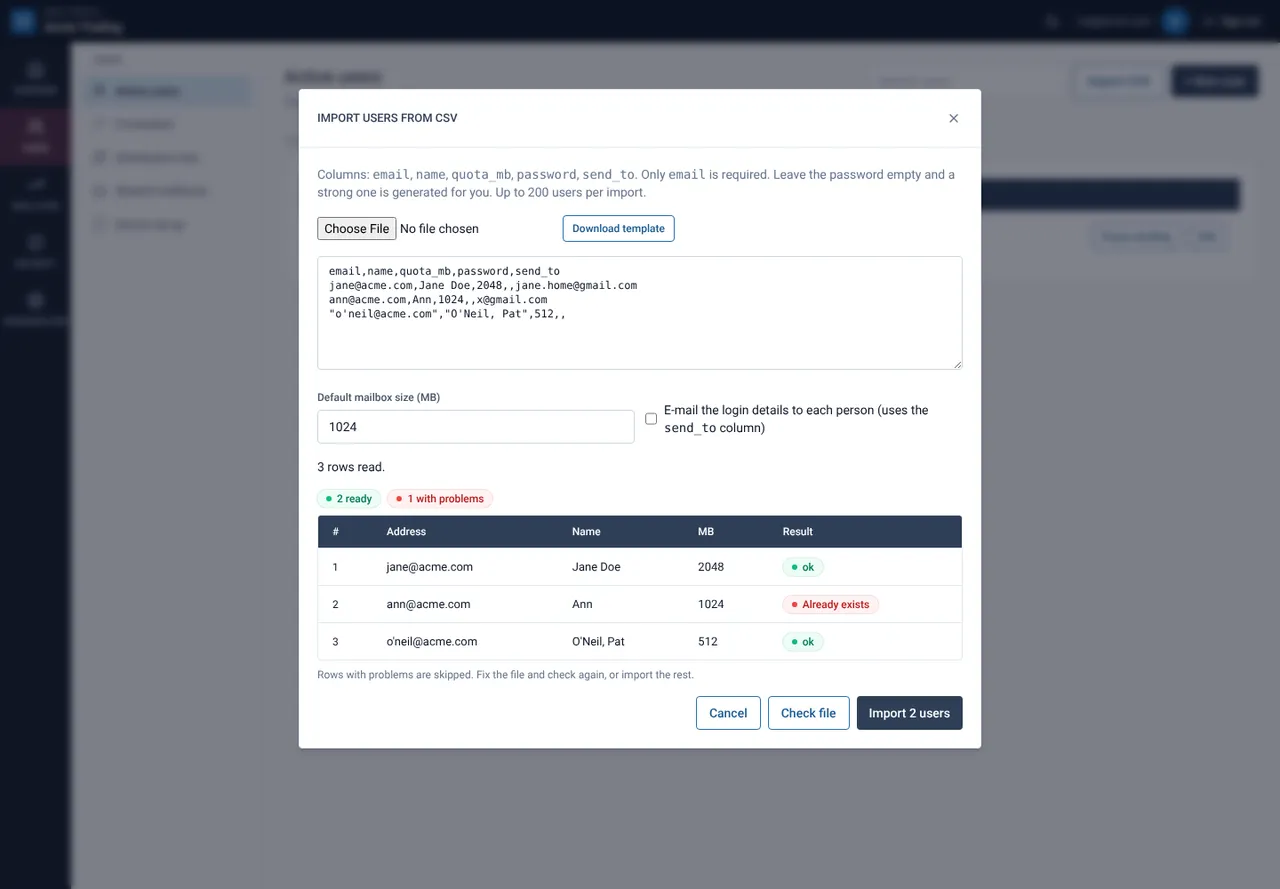
Make a CSV with the header email,name,quota_mb,password,send_to. Only email is required. Leave password empty and the portal generates a strong one. send_to is the person’s private address for the welcome e-mail.
Open Import CSV
On Active users select Import CSV, then choose the file or paste the text. Set the default mailbox size for rows without a size.
Select Check file
Nothing is created yet. Each row is marked ok or shows its problem, for example “Already exists”.
Select Import
Good rows are created, problem rows are skipped. The whole file is checked against your mailbox limit first.
Save the results
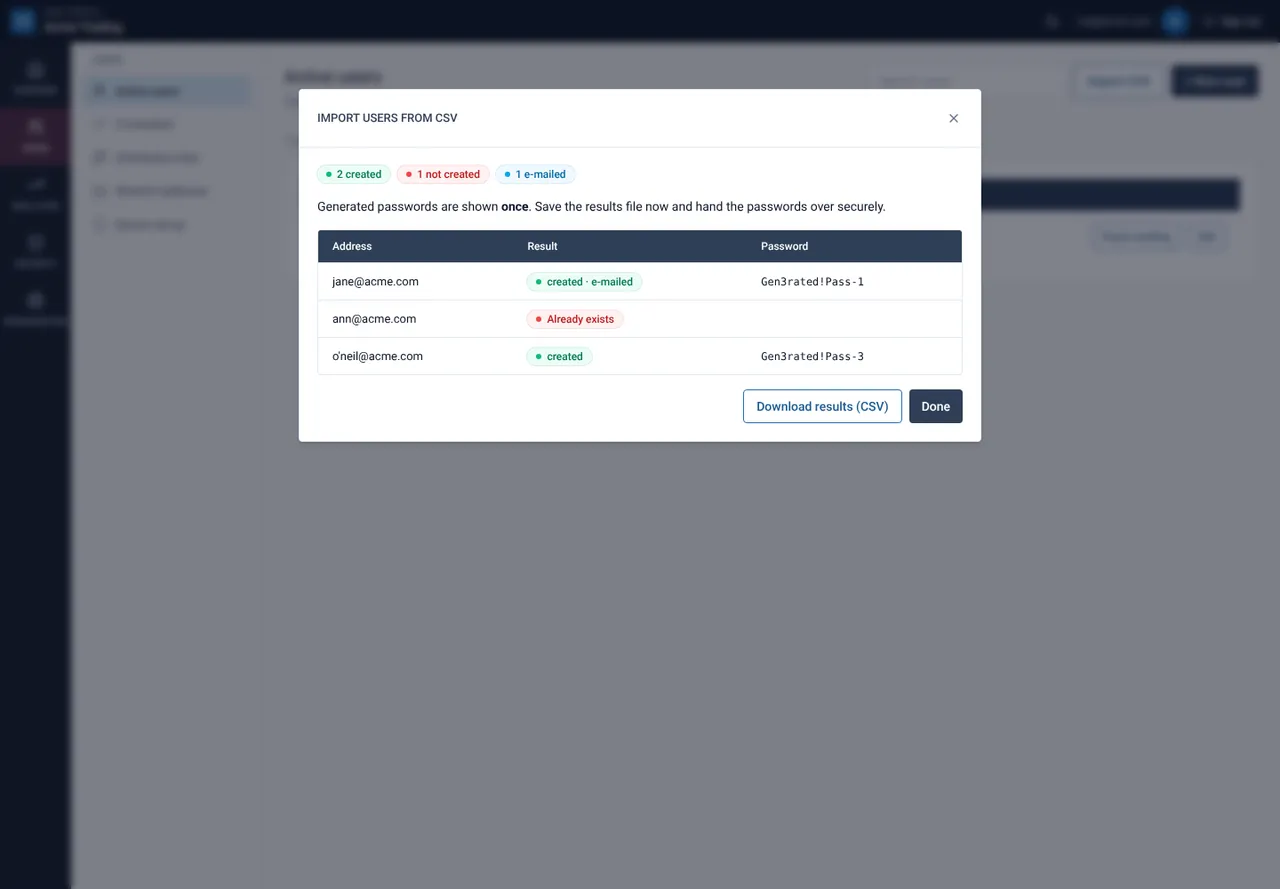
The result shows each new password once. Select Download results (CSV) and store it safely.
CSV columns
| Column | Meaning | Required |
|---|---|---|
| Full address, for example jane@acme.com | Yes | |
| name | Display name | No |
| quota_mb | Mailbox size in MB | No |
| password | Leave empty to generate one | No |
| send_to | Private address for the welcome e-mail | No |
If something goes wrong
Some rows failed
Failed rows show the reason. Fix them in the file and import again; the rows that worked are not duplicated.
Still need help?
Tell us what you were trying to do and what you saw on screen. We will help you finish it.