Create a user
Add a new mailbox and send the person their login details.
Open Active users
Choose Users, then Active users. The line under the title shows how many mailboxes you have used.
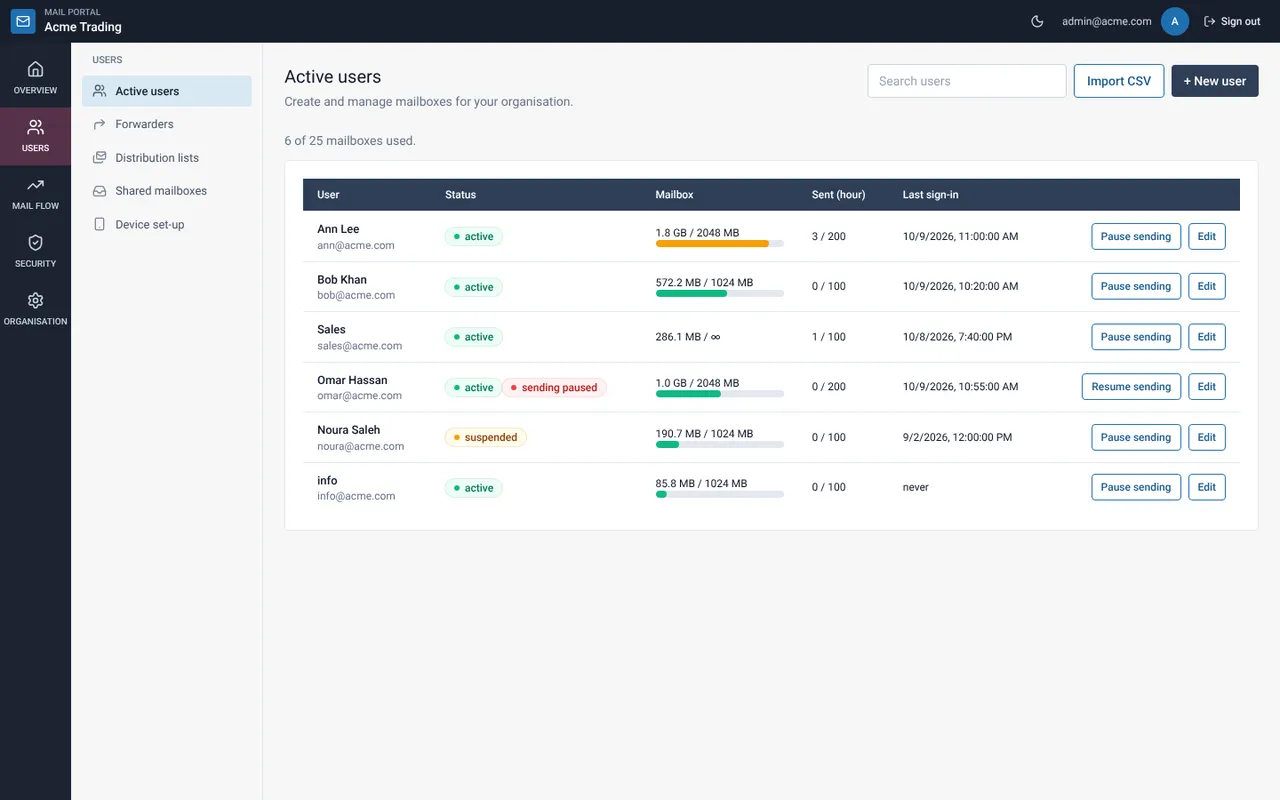
Select + New user
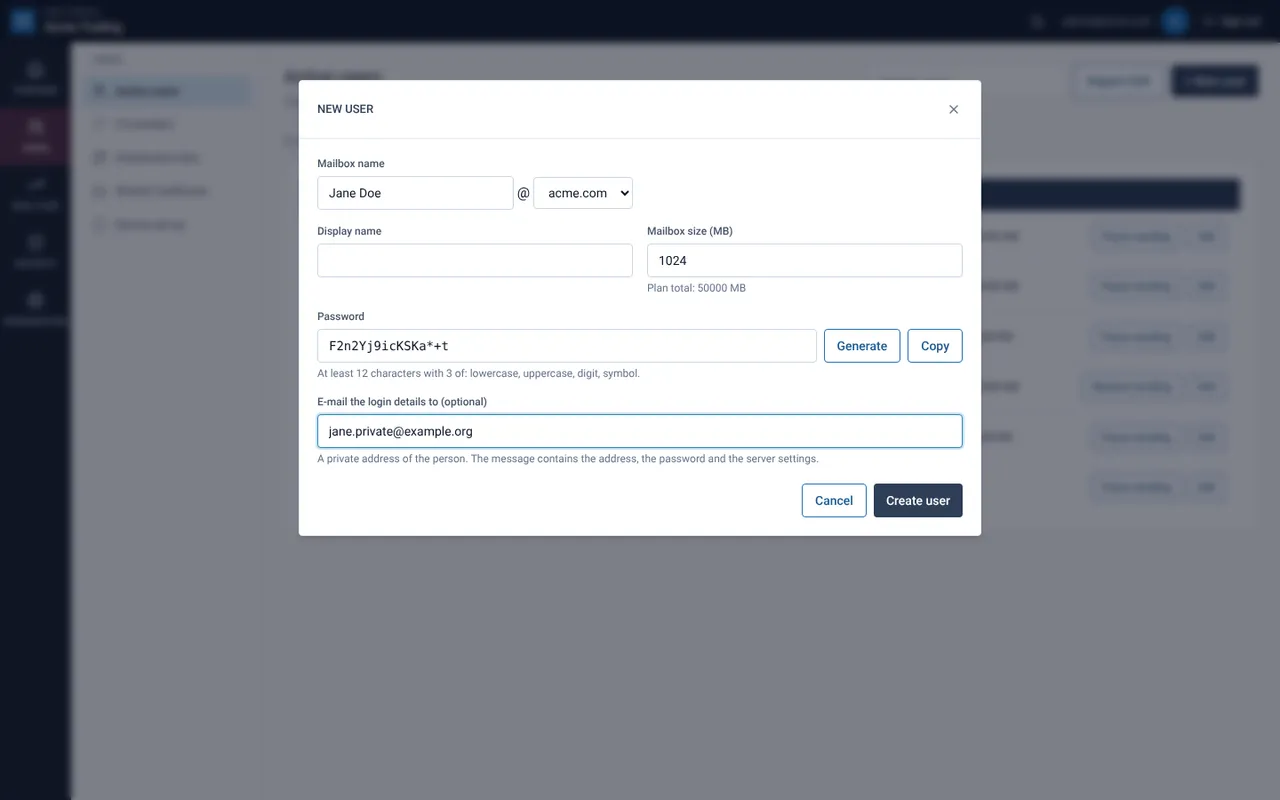
Type the mailbox name (for example jane.doe), pick the domain, and add a display name and mailbox size (MB).
Set the password
Select Generate for a strong password, or type one with at least 12 characters and three of lowercase, capital letters, digits and symbols.
E-mail the login details (recommended)
Type a private address of the person under E-mail the login details to. The message contains the address, the password and the server settings. Without it, the password is shown once on screen. Copy it before closing.
Select Create user
The mailbox exists immediately. The person signs in to webmail with the full address and the password.
If something goes wrong
The domain list is empty
No domain is assigned to your organisation yet. Ask your provider to assign one.
“Limit reached”
Your plan allows a fixed number of mailboxes. Delete an unused one or ask your provider to raise the limit.
Related guides
Change a user’s size, limits or password
Edit a mailbox: display name, size, sending limits and a new password.
Mail Admin (Client Portal)E-mail login details to a user
Send the address, password and server settings to a private address of the person.
Mail Admin (Client Portal)Import many users from a CSV file
Create up to 200 mailboxes at once, check the file first, and download the one-time passwords.
Still need help?
Tell us what you were trying to do and what you saw on screen. We will help you finish it.