Mail Admin (Client Portal)For: Admins and helpdesk2 min readUpdated
E-mail login details to a user
Send the address, password and server settings to a private address of the person.
Open the user
On Active users select Edit (or Help for helpdesk).
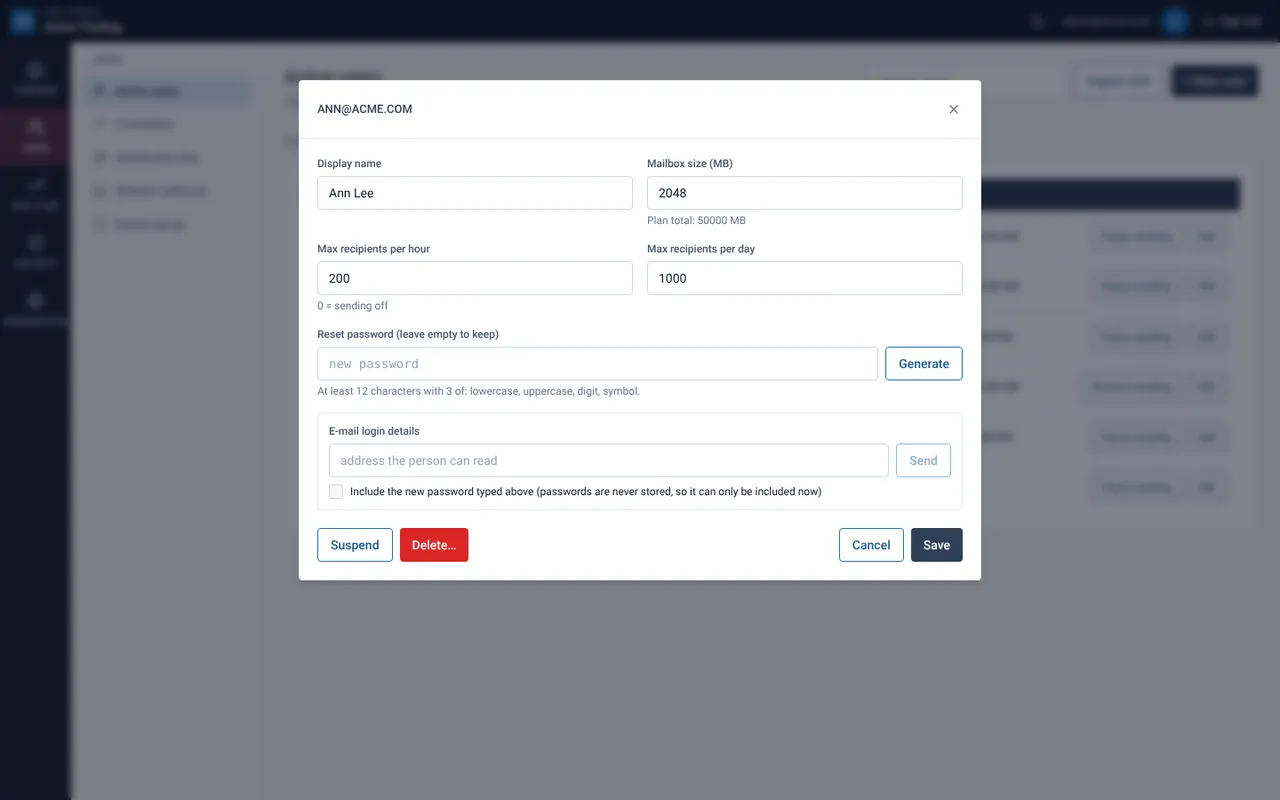
Type where to send it
In E-mail login details enter an address the person can already read, for example a private address.
Decide whether to include a new password
To include a password, type or generate one above first and tick Include the new password typed above. Passwords are never stored, so an existing password cannot be re-sent.
Select Send
A green message confirms it. The portal allows up to 200 of these e-mails per hour for your organisation.
Still need help?
Tell us what you were trying to do and what you saw on screen. We will help you finish it.