Change a user’s size, limits or password
Edit a mailbox: display name, size, sending limits and a new password.
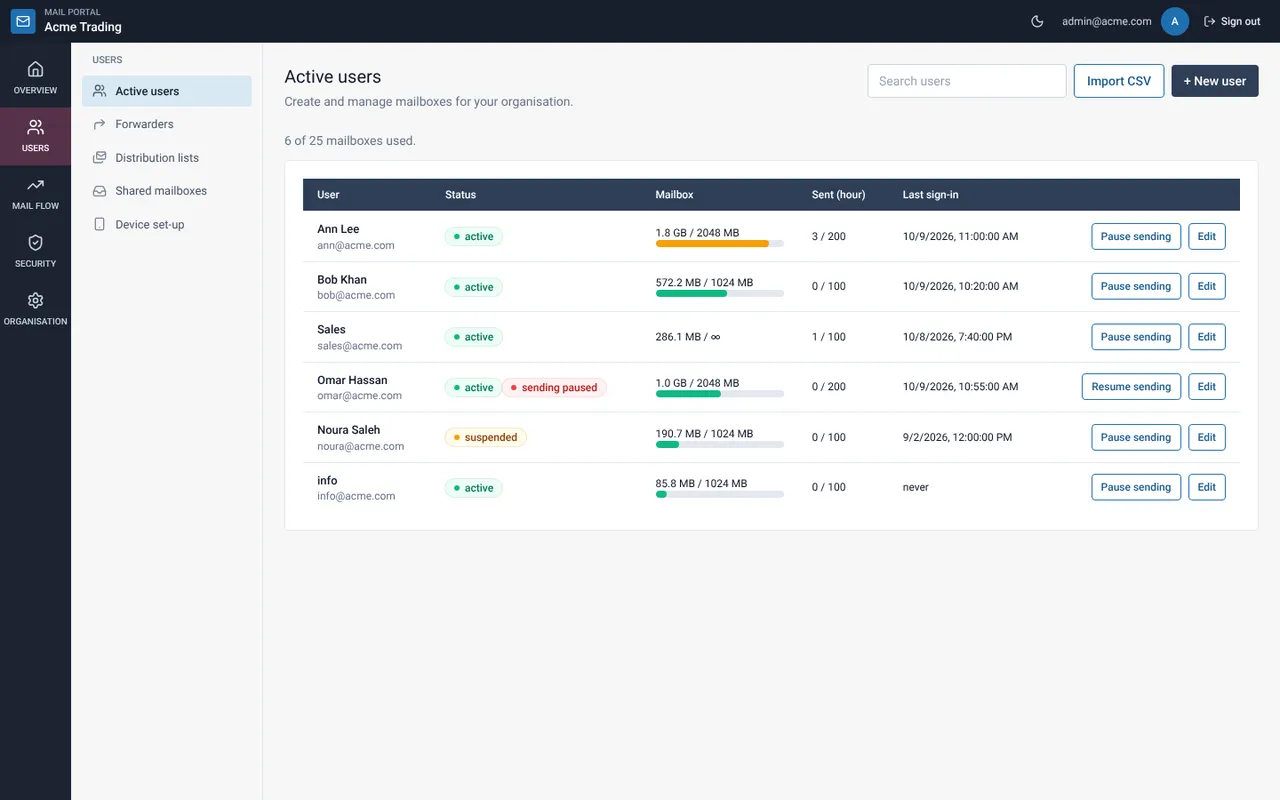
Find the user and select Edit
On Active users, use the search box, then select Edit on the row. Helpdesk people see Help and read-only people View.
Change what you need
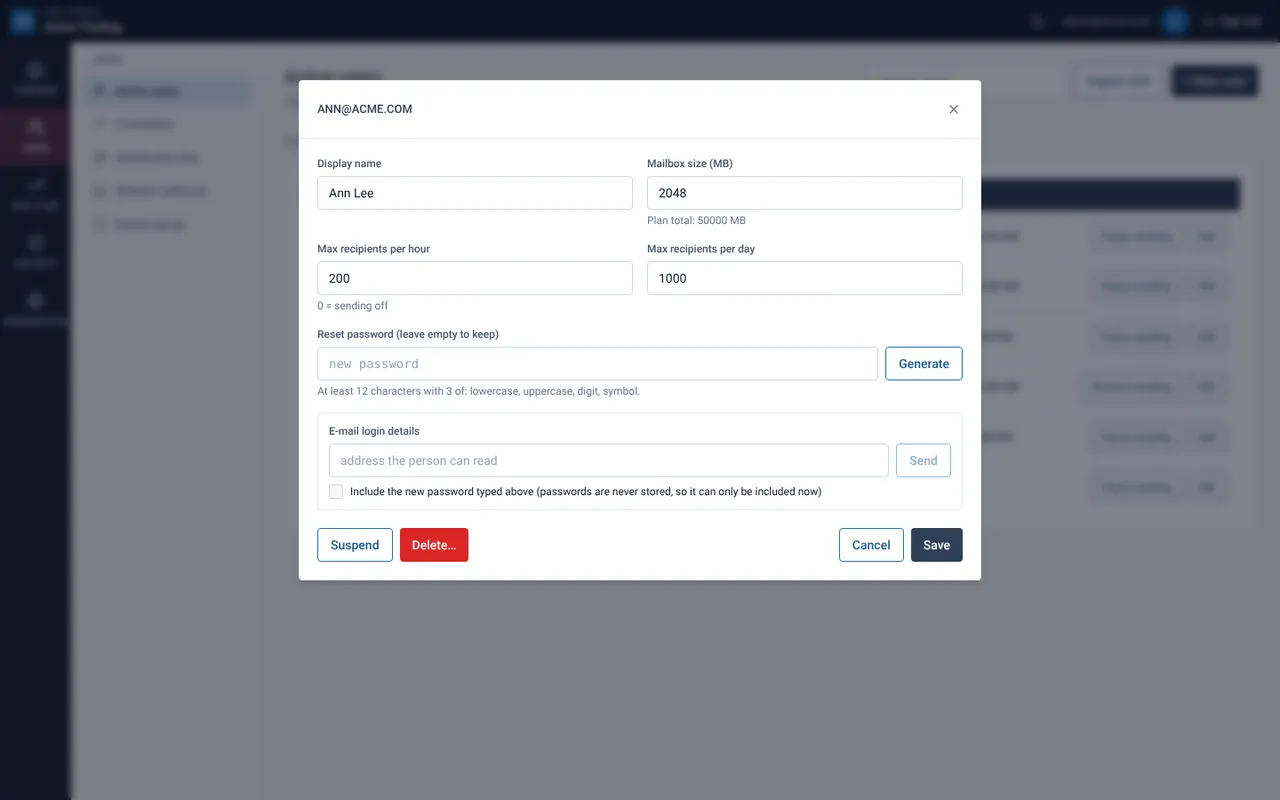
You can change the display name, mailbox size, max recipients per hour and per day. Setting the hourly limit to 0 turns sending off for that user.
Reset the password (optional)
Type or generate a new password. Leave it empty to keep the current one. Use Copy to hand it over.
Select Save
You can also Suspend the user (they cannot sign in) or Delete the user. Deleting asks for confirmation and offers to permanently delete their mail too.
Related guides
Pause sending when a mailbox may be compromised
Stop a user from sending while they can still receive mail, then fix the cause.
Mail Admin (Client Portal)E-mail login details to a user
Send the address, password and server settings to a private address of the person.
Mail Admin (Client Portal)Portal roles: what Admin, Helpdesk and Read-only can do
A table of what each portal role can and cannot do.
Still need help?
Tell us what you were trying to do and what you saw on screen. We will help you finish it.