Mail Admin (Client Portal)For: Organisation administrators3 min readUpdated
Read quarantine reports
See what was held and released, how fast requests were decided and which false positives are open.
Open the Reports tab
Open Quarantine and select Reports.
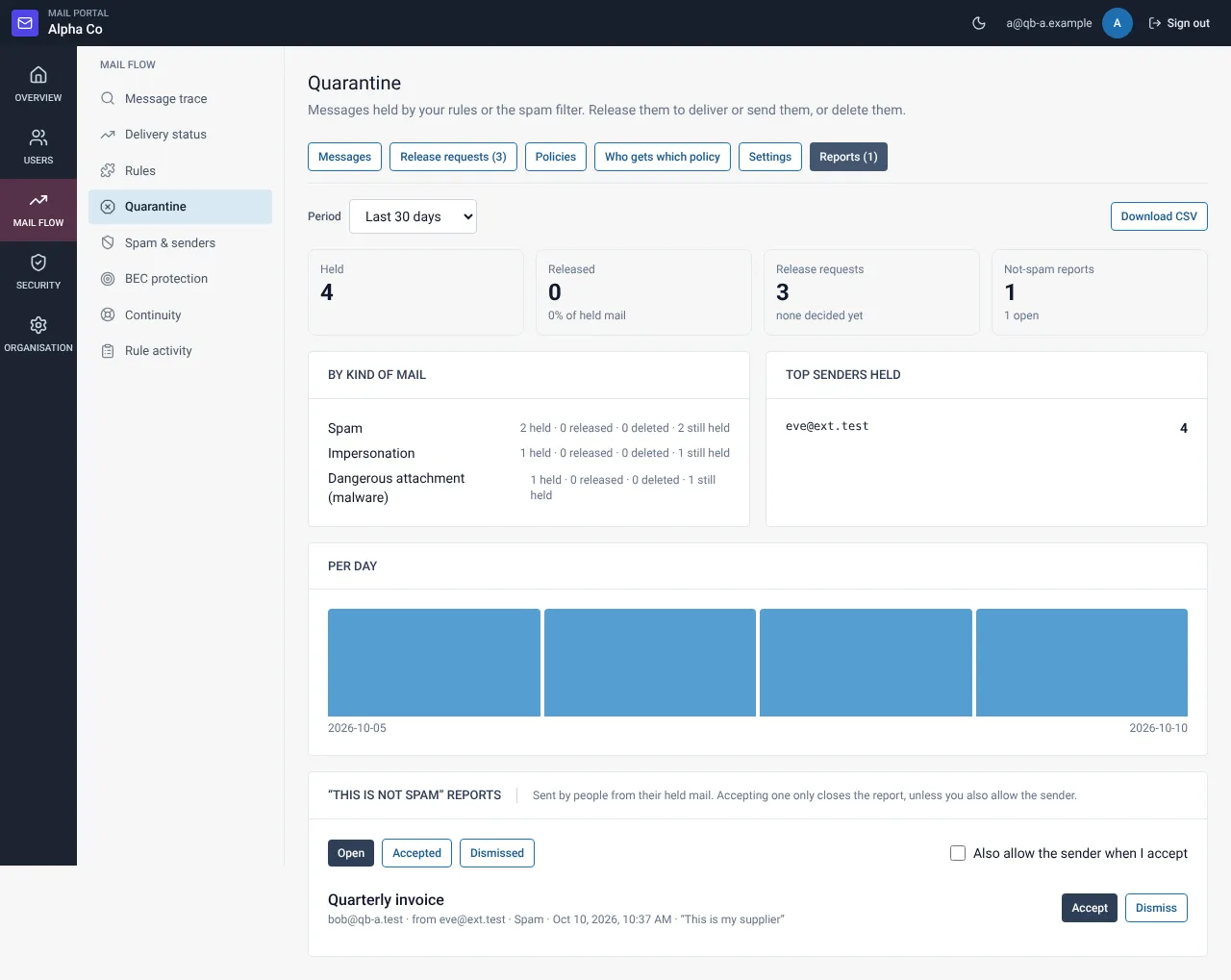
Read the figures
The report shows messages held and released, requests and the time to decide, held mail by kind, top senders, mail per day and open reports.
Handle “not spam” reports
For each open report choose Accept (you may also allow the sender) or Dismiss.
Export
Select Export CSV, or turn on the weekly summary e-mail in Settings.
Related guides
Mail Admin (Client Portal)
Quarantine settings: digest, scan, limits and retention
Choose what people are told, how mail is scanned before release and how long it is kept.
Mail Admin (Client Portal)Decide release requests from users
Approve or deny requests, one by one or several at once, with a note to the person.
Still need help?
Tell us what you were trying to do and what you saw on screen. We will help you finish it.