Mail Admin (Client Portal)For: Admins and helpdesk4 min readUpdated
Decide release requests from users
Approve or deny requests, one by one or several at once, with a note to the person.
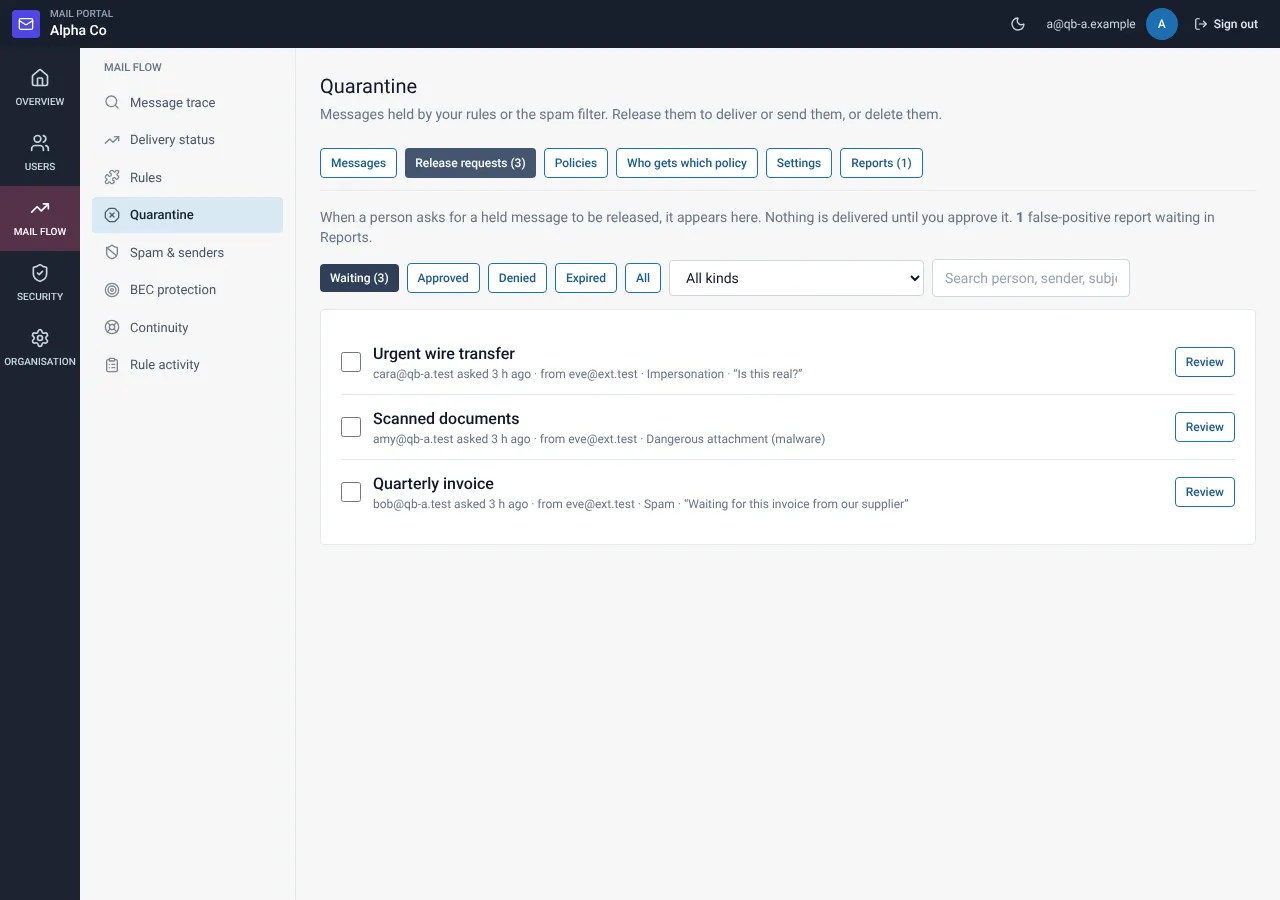
Open Release requests
Open Quarantine and choose the Release requests tab. Filter by status (pending, approved, denied, expired), kind or search text.
Open a request
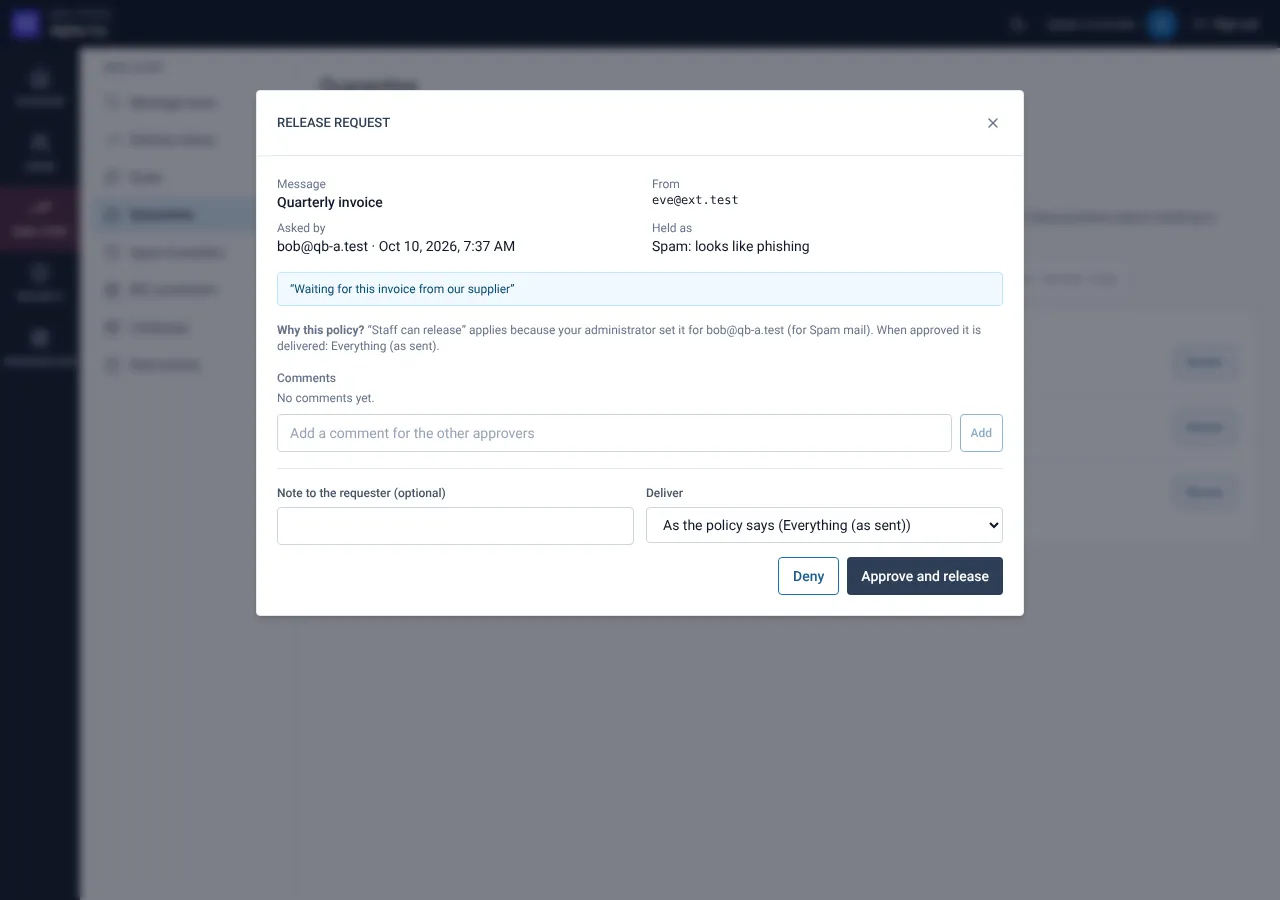
Read the message, the reason the person gave, the policy and the comments.
Approve or deny
Choose Approve or Deny and add a note. The note and the outcome are e-mailed to the person. To decide several at once, select the rows first.
Still need help?
Tell us what you were trying to do and what you saw on screen. We will help you finish it.