Review quarantined messages
See what was held, why, and release or delete it.
Open Quarantine
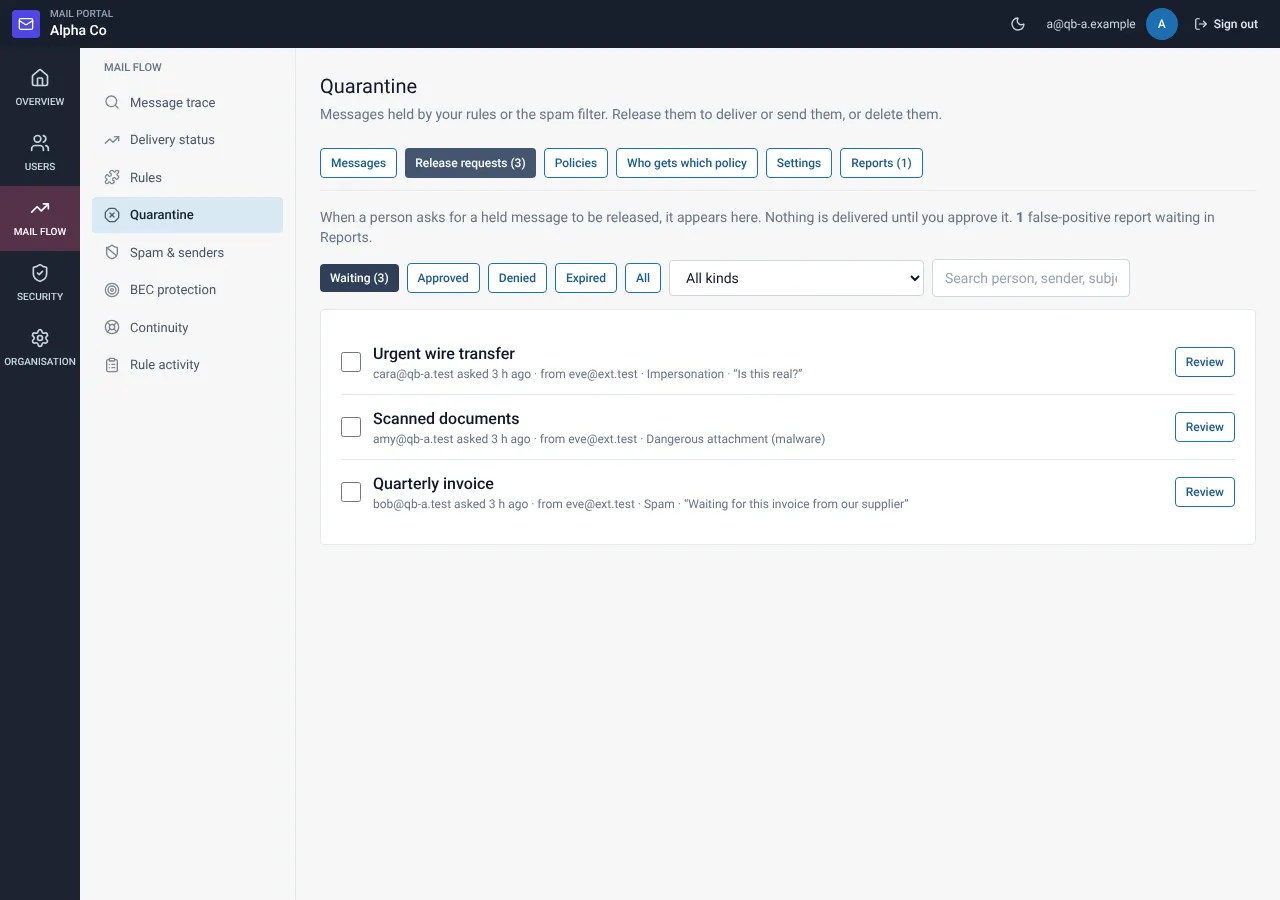
Choose Mail flow, then Quarantine. The tabs are Messages, Release requests, Policies, Who gets which policy, Settings and Reports.
Open a message
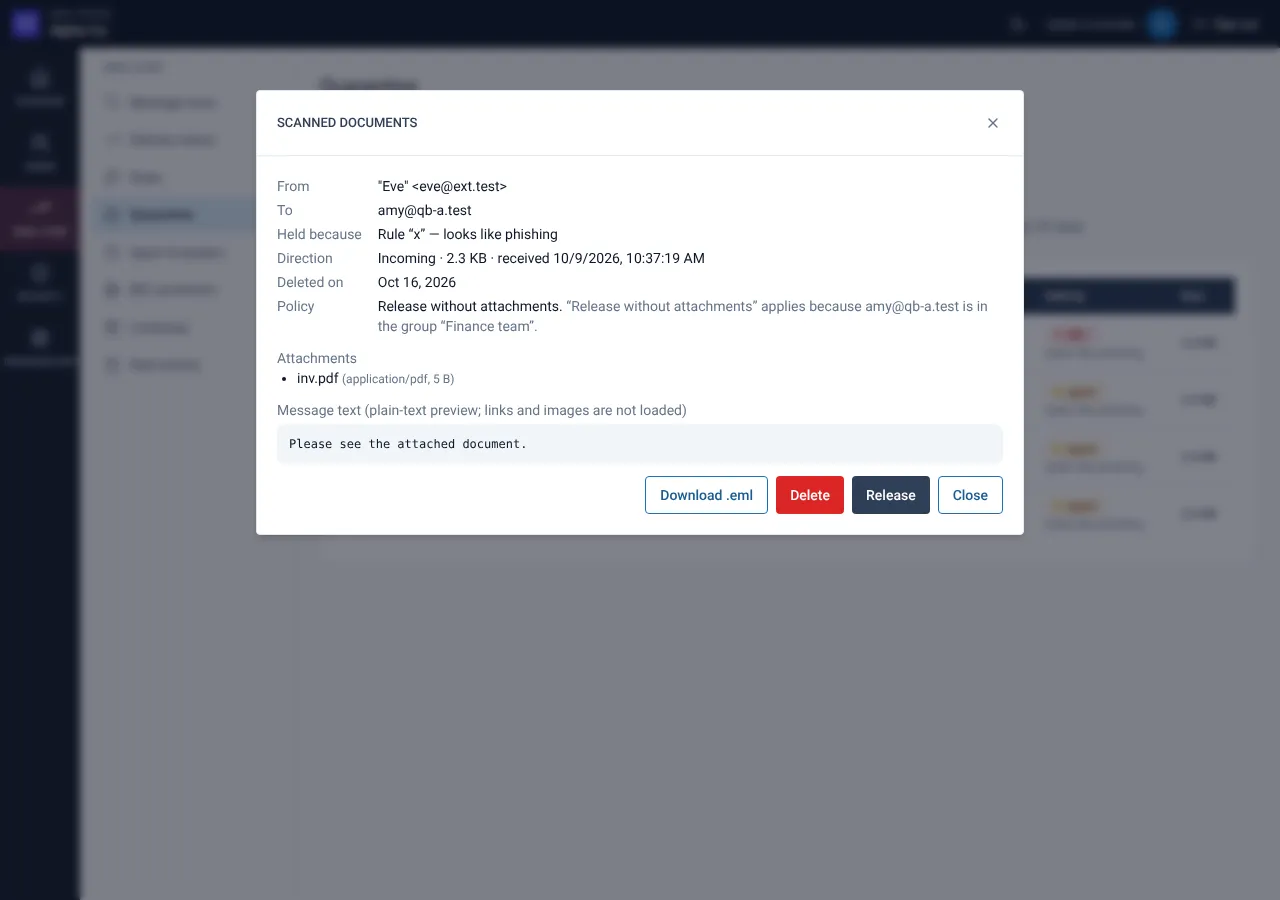
Check the sender, the reason and the policy that applied. The detail also shows why that policy was chosen.
Release safely
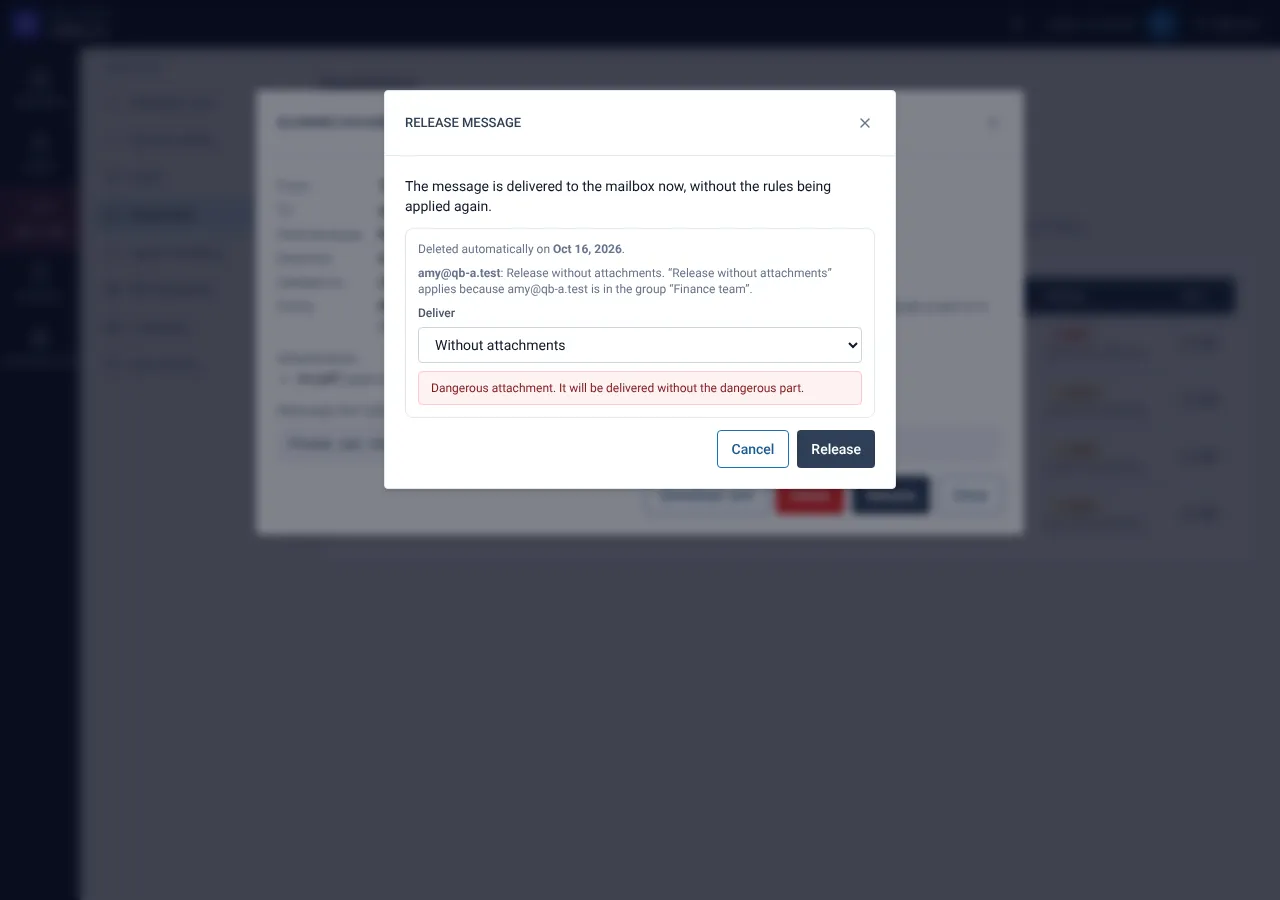
Select release and choose how to deliver: as sent, without attachments or plain text only. If the extra scan rejects the message you must type RELEASE to go on.
Related guides
Decide release requests from users
Approve or deny requests, one by one or several at once, with a note to the person.
Mail Admin (Client Portal)Create quarantine policies
A policy decides what a person may do with a held message.
Mail Admin (Client Portal)Quarantine settings: digest, scan, limits and retention
Choose what people are told, how mail is scanned before release and how long it is kept.
Still need help?
Tell us what you were trying to do and what you saw on screen. We will help you finish it.