Web Mail PortalFor: Everyone with a mailbox3 min readUpdated
Set an out-of-office reply
Send an automatic reply while you are away, with start and end dates.
Open Out of office
Sign in to My Account and choose Out of office.
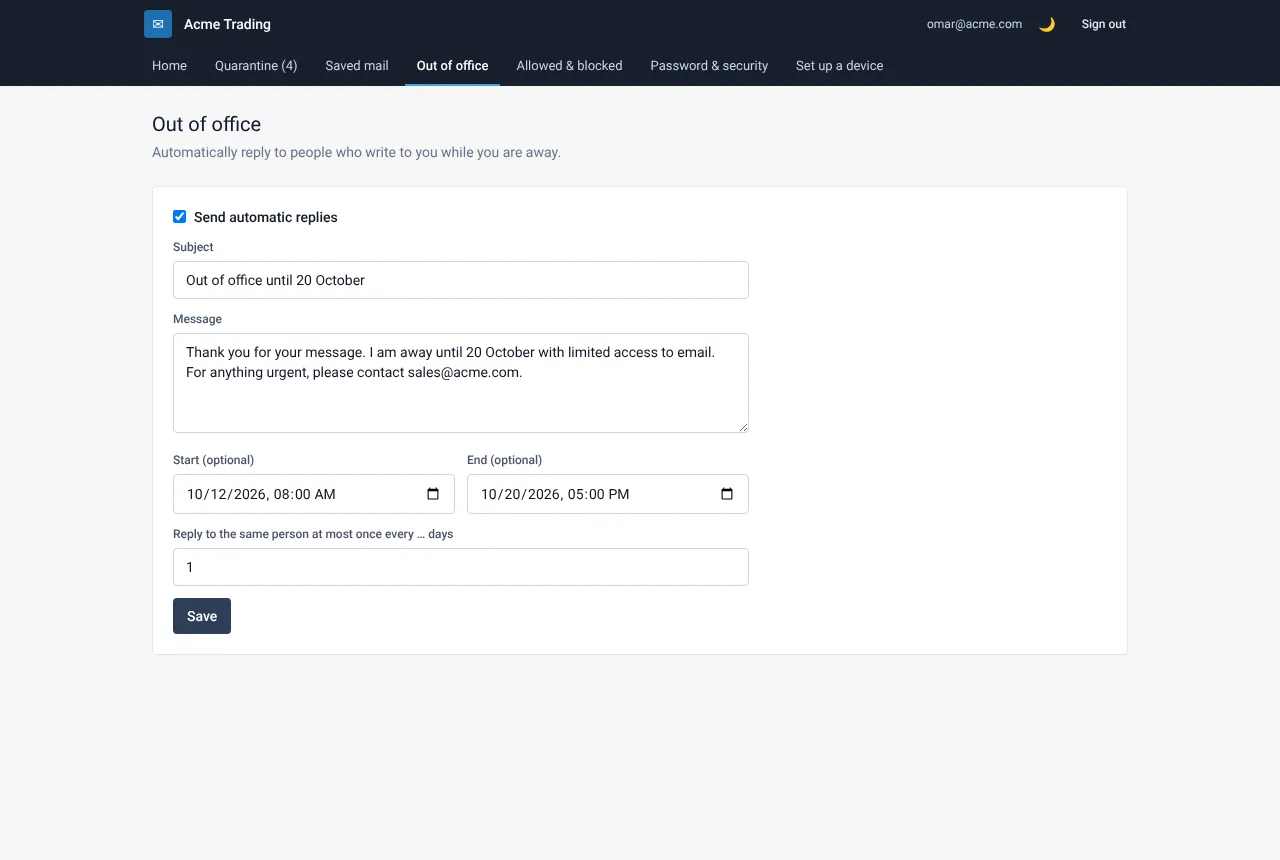
Turn it on and write the message
Tick Send automatic replies. Fill in the Subject and the Message. Say when you are back and who to contact for urgent matters.
Choose dates and frequency
Set Start and End (both optional). Under Reply to the same person at most once every … days choose how often a repeat sender gets your reply. One day is a good choice.
Save, and turn it off when you are back
Select Save. If you set an end date, the reply stops by itself. Otherwise return to this page and clear the tick.
Still need help?
Tell us what you were trying to do and what you saw on screen. We will help you finish it.