A tour of My Account
What each page of My Account does, in one place.
Start on the Home page
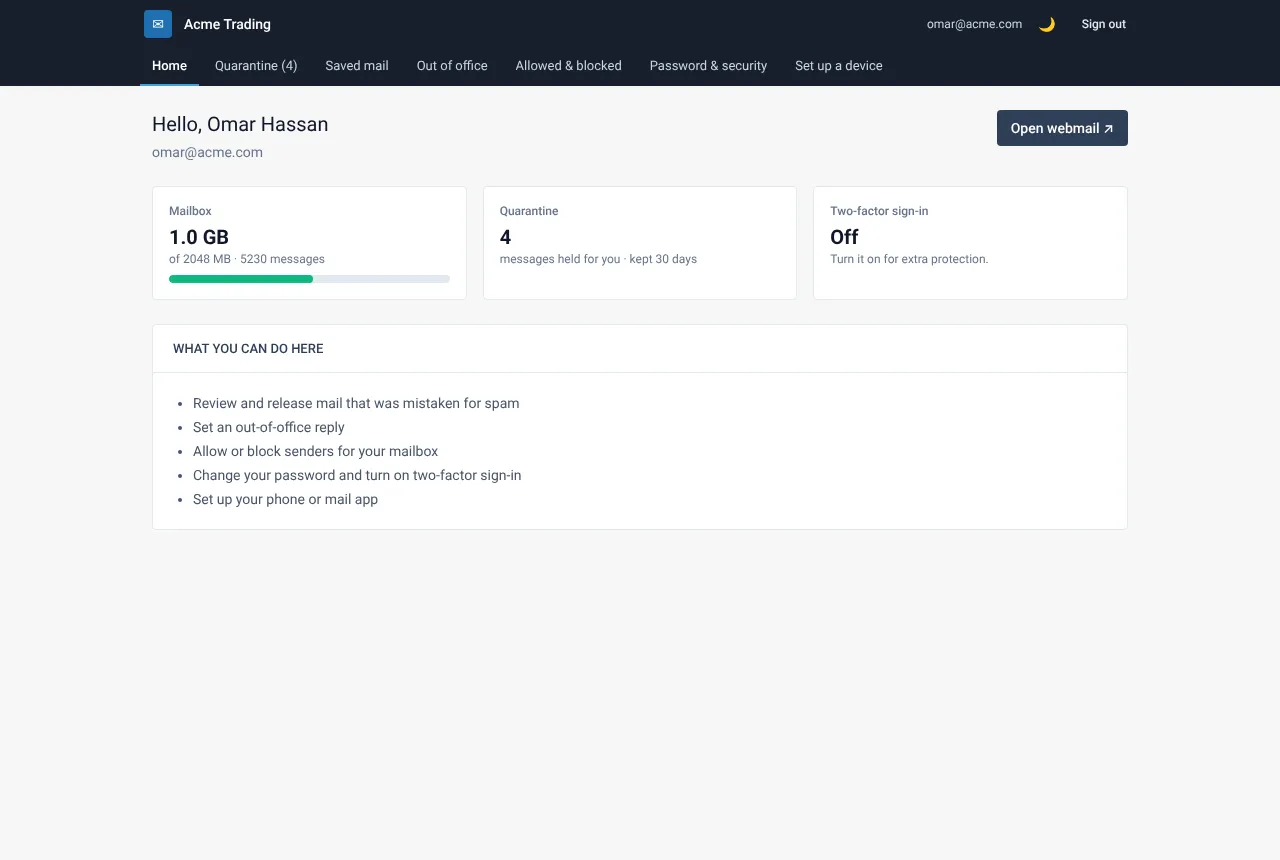
Home shows your address, how much of your mailbox is used and shortcuts to everything you can do. Select Open webmail to read your mail.
Know the pages
- Quarantine: mail held for you instead of reaching your inbox.
- Saved mail: mail kept safe while the mail server was unreachable.
- Out of office: automatic replies while you are away.
- Allowed & blocked: senders you always trust or never want.
- Password & security: your password, two-factor sign-in and recent sign-ins.
- Set up a device: settings for a phone or mail app.
Use it on a phone
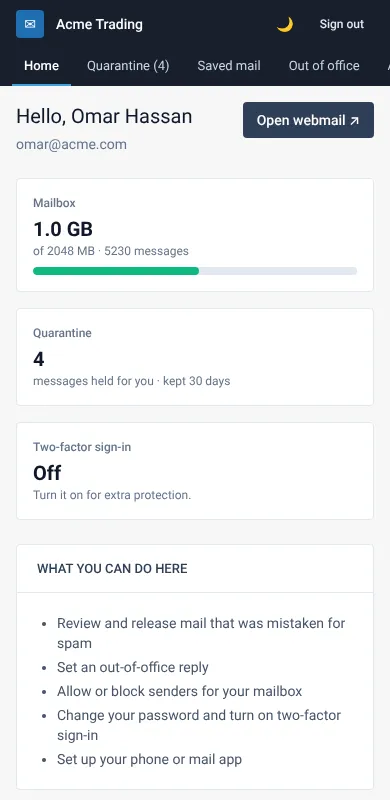
My Account adapts to small screens. The menu becomes a compact bar, and every page works the same way.
Switch to dark mode
Use the moon button in the top bar to switch between light and dark mode. Your choice is remembered on that device.
Related guides
Sign in to My Account
My Account is the page where you manage your own mailbox settings. Here is how to sign in, with or without a two-factor code.
Web Mail PortalReview mail that was held for you
Find out why a message did not reach your inbox, and release it when it is safe.
Web Mail PortalSet an out-of-office reply
Send an automatic reply while you are away, with start and end dates.
Still need help?
Tell us what you were trying to do and what you saw on screen. We will help you finish it.