Host email for many companies, from one admin
Give every customer their own branded portal, limits and administrators while you keep full control of the platform.
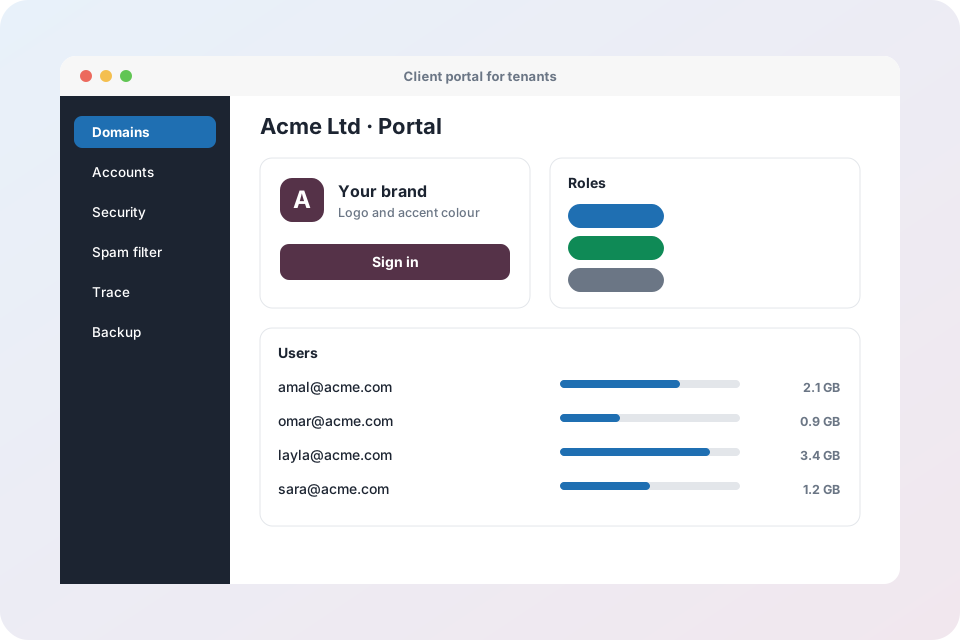
Built for hosting providers and IT partners
Tenants
Each company has its own domains, mailboxes, notes and contact email, kept apart from every other tenant.
Your brand, their portal
Upload a logo and pick an accent colour so the portal looks like your customer's company.
Plans and limits
Limit mailboxes, storage and rules per tenant, and suspend or reactivate a tenant in one click.
Roles
Portal admins, helpdesk staff and read-only viewers each get exactly the rights they need.
Overview charts
Mail per day, spam blocked, top senders and storage per user, for 7, 14 or 30 days.
CSV bulk import
Import up to 200 users at once with a dry run that checks the file before anything is created.
Login details email
Send each new user their address, webmail link and mail app settings.
Safe forwarding
Allow forwarding only to approved outside destinations to prevent data leaks.
Quarantine retention
Choose how many days quarantined messages are kept for each tenant.
Delegate day-to-day work safely
Helpdesk staff can reset passwords and pause sending without being able to change settings. Read-only roles can see everything and change nothing.
- Rights are checked on every action
- Actions are written to an audit log
- Each tenant sees only its own data
Tenant questions
Can a tenant see another tenant's data?
No. Every request is scoped to the tenant and anything that belongs to someone else is treated as not found.
Can I suspend a customer who has not paid?
Yes. Suspend the tenant and resume all mailboxes later with one click.
Does the portal use my logo?
Each tenant can have its own logo and accent colour.
How do I add many users at once?
Upload a CSV file. A dry run reports problems first, and generated passwords are shown once and never stored.
Start hosting mail for your customers
Talk to us about tenants, plans and your own branding.
Explore Mail Admin
- Mail Admin overview – every feature on one page
- Domains, DNS and deliverability – DKIM, SPF, DMARC, MX records and health score
- Mailboxes, webmail and routing – accounts, forwarders, catch-all, auto-replies and filters
- Security, spam and virus protection – login protection, IP blocking, send limits, Rspamd and ClamAV
- Tenants and client portal – branding, plans, roles and bulk import
- Operations: trace, monitoring, backup and migration – server health, mail queue, backups and IMAP migration
- X-Protection email security – the security layer that sits in front of any mail system