Know what your mail server is doing, all the time
Trace messages, watch health, get alerted early, back up with confidence and move mailboxes without downtime for users.
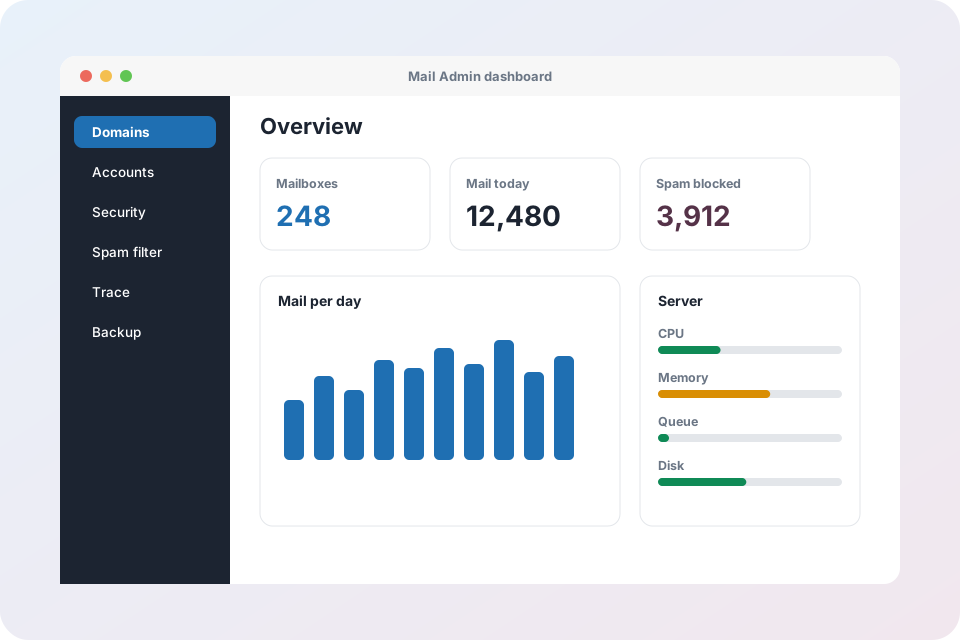
Operate with confidence
Email trace
Search by sender, recipient, date range or queue ID to see exactly what happened to a message.
Live mail log
Watch deliveries, deferrals and rejections as they happen.
Server health
CPU, memory, uptime and containers on one screen, with live logs.
Mail queue
See queued messages, find stuck mail and delete a queued message when needed.
Health monitoring and alerts
Automatic checks on the services that matter and an alert when something fails.
Backup and restore
Back up the database and individual mailboxes, and restore a mailbox with a confirmation step.
IMAP migration
Copy mail from any IMAP server into a new mailbox and keep a history of every run.
Mail continuity
If delivery is briefly unavailable, incoming mail is held safely and retried.
Settings and audit log
SMTP relay, admin password, two-factor sign-in, test email and a record of admin actions.
Move to Arabian Mail without drama
Create the mailbox
Set up the new address in Mail Admin.
Enter the old server details
Host, port, username and password of the source IMAP account.
Run and review
Mail is copied across and the history shows the result.
Operations questions
How do I find out why a message did not arrive?
Open Email Trace, search by sender or recipient and read the delivery result. The live log shows new events as they happen.
Can I restore a single mailbox?
Yes. Mailbox backups can be restored individually, and the restore asks for confirmation first.
Will I be told if the server has a problem?
Yes. Health monitoring checks the key services and raises an alert when one fails.
Does migration need the old password?
It needs access to the source mailbox over IMAP. The password is used for the copy and not shown again.
Run your mail like a pro
Request an account and see your whole mail system in one place.
Explore Mail Admin
- Mail Admin overview – every feature on one page
- Domains, DNS and deliverability – DKIM, SPF, DMARC, MX records and health score
- Mailboxes, webmail and routing – accounts, forwarders, catch-all, auto-replies and filters
- Security, spam and virus protection – login protection, IP blocking, send limits, Rspamd and ClamAV
- Tenants and client portal – branding, plans, roles and bulk import
- Operations: trace, monitoring, backup and migration – server health, mail queue, backups and IMAP migration
- X-Protection email security – the security layer that sits in front of any mail system