Sign in to My Account
My Account is the page where you manage your own mailbox settings. Here is how to sign in, with or without a two-factor code.
Open My Account
Open My Account: your organisation’s webmail address followed by /account (for example mail.arabianmail.com/account). If you are unsure of the address, ask your administrator or use the “Open My account” link on the sign-in page.
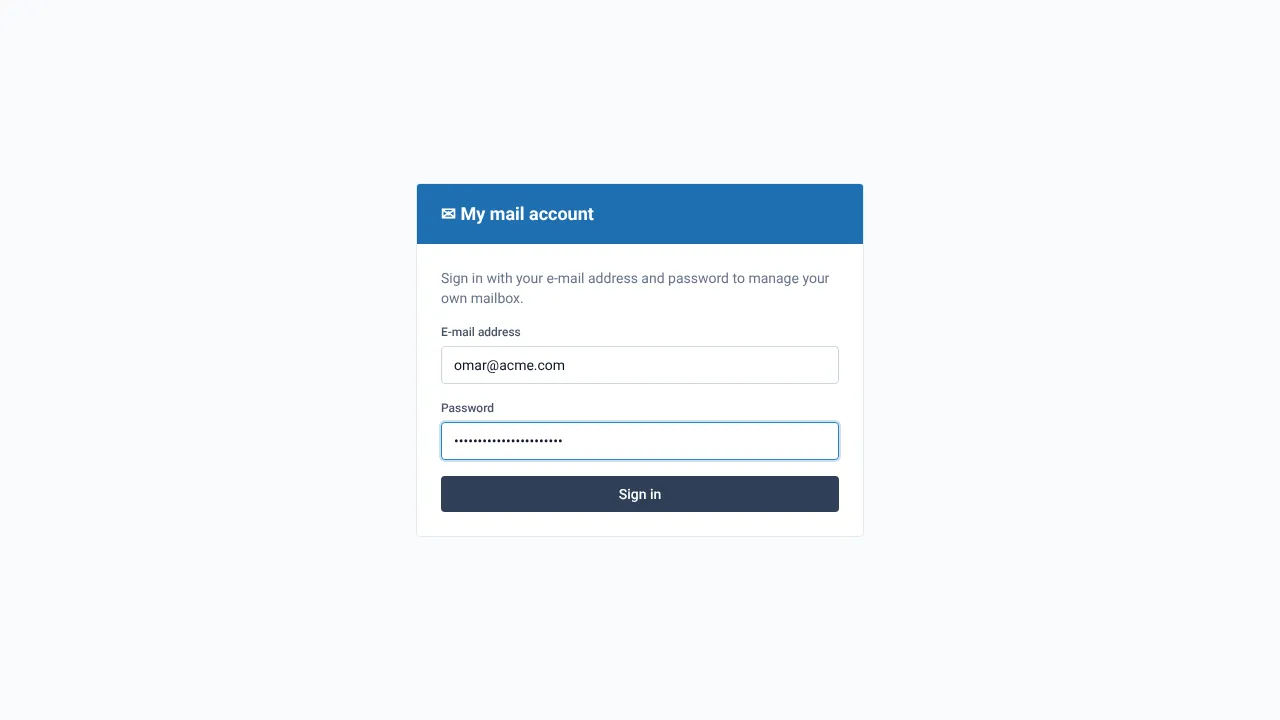
Enter your e-mail address and password
Use the same address and password as your webmail. Select Sign in.
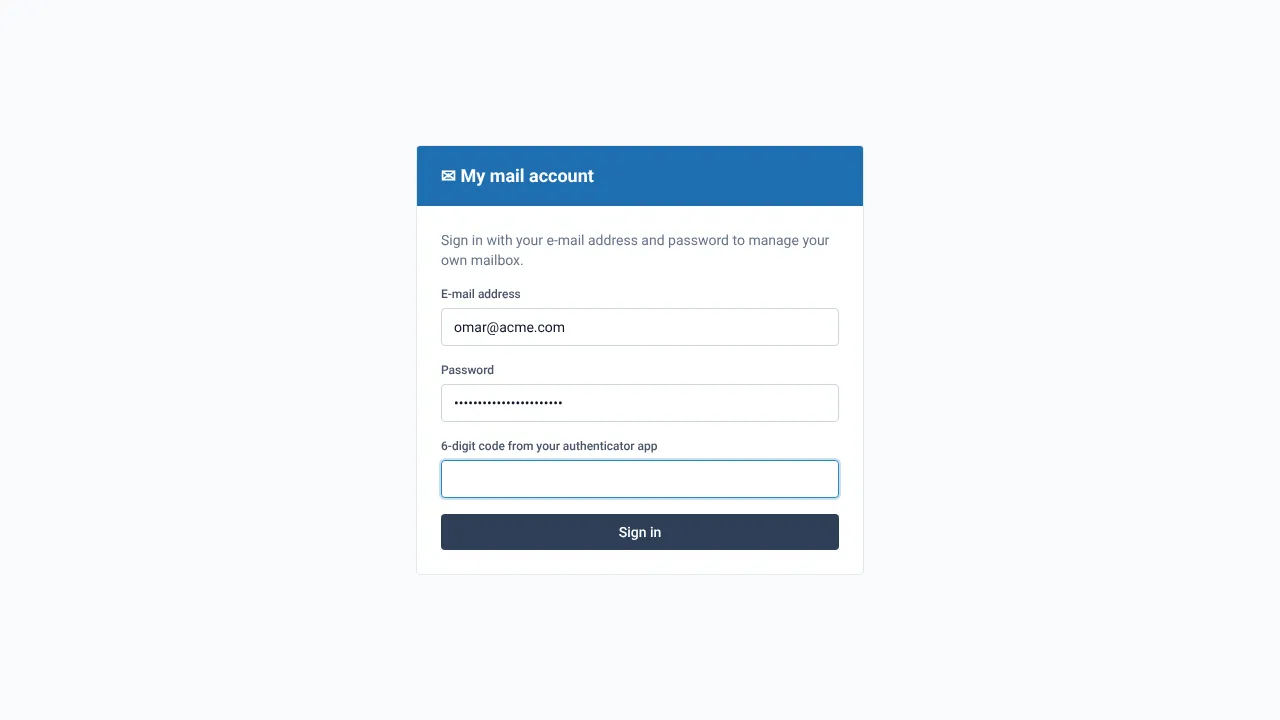
Enter your six-digit code if asked
If you turned on two-factor sign-in, a second box asks for the 6-digit code from your authenticator app. Open the app, read the current code and type it in. The code changes every 30 seconds, so use a fresh one.
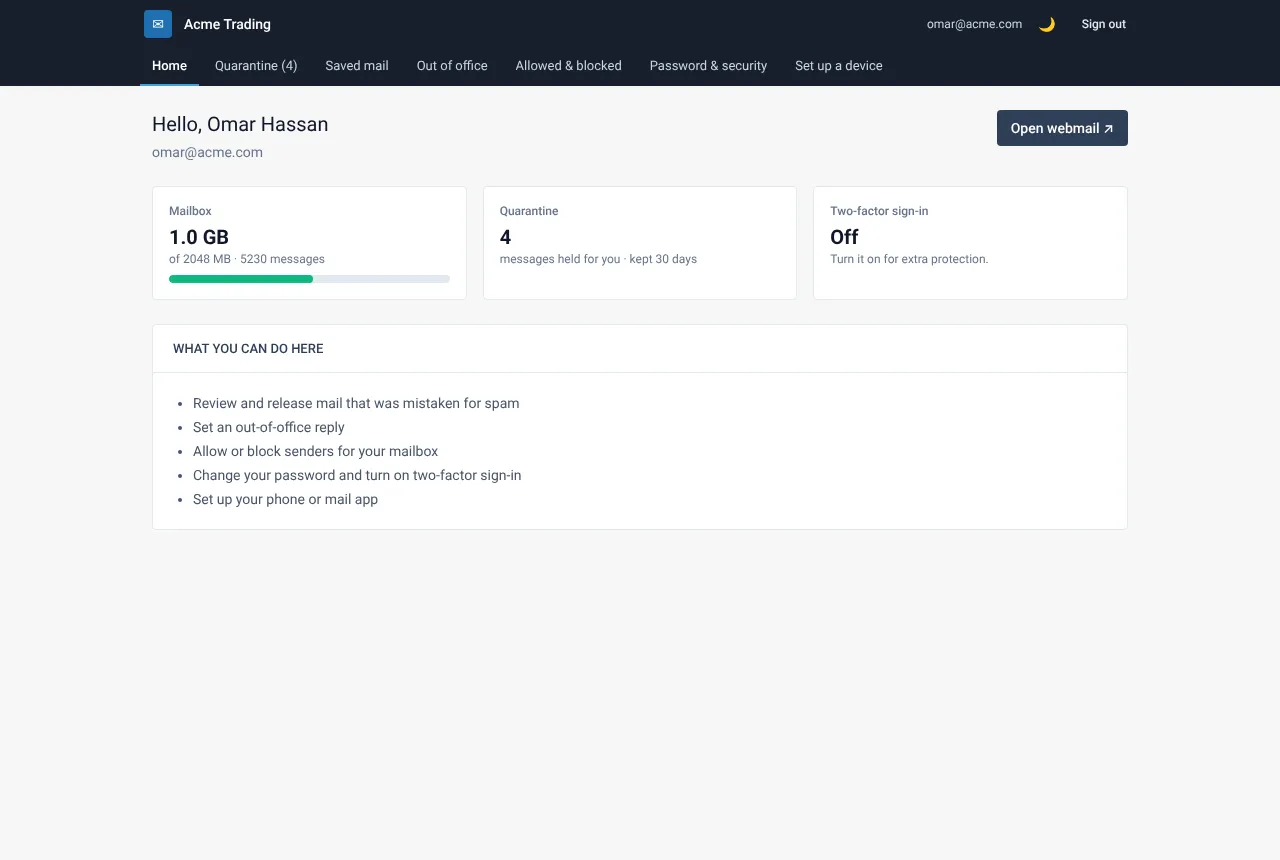
Find your way around
After signing in you land on the Home page. The menu has Home, Quarantine (when your organisation uses it), Saved mail, Out of office, Allowed & blocked, Password & security and Set up a device.
If something goes wrong
I forgot my password
Ask your administrator to set a new one. Passwords are never stored in a readable form, so nobody can tell you the old one.
I lost my phone with the authenticator app
Ask your administrator to reset your two-factor sign-in. You can then set it up again on the new phone.
Related guides
A tour of My Account
What each page of My Account does, in one place.
Web Mail PortalTurn on two-factor sign-in
Add a six-digit code from your phone to My Account, so a stolen password alone is not enough.
Web Mail PortalChange your password
Replace your mailbox password with a new strong one, in three minutes.
Still need help?
Tell us what you were trying to do and what you saw on screen. We will help you finish it.