Change your password
Replace your mailbox password with a new strong one, in three minutes.
Open Password & security
Sign in to My Account and choose Password & security in the menu.
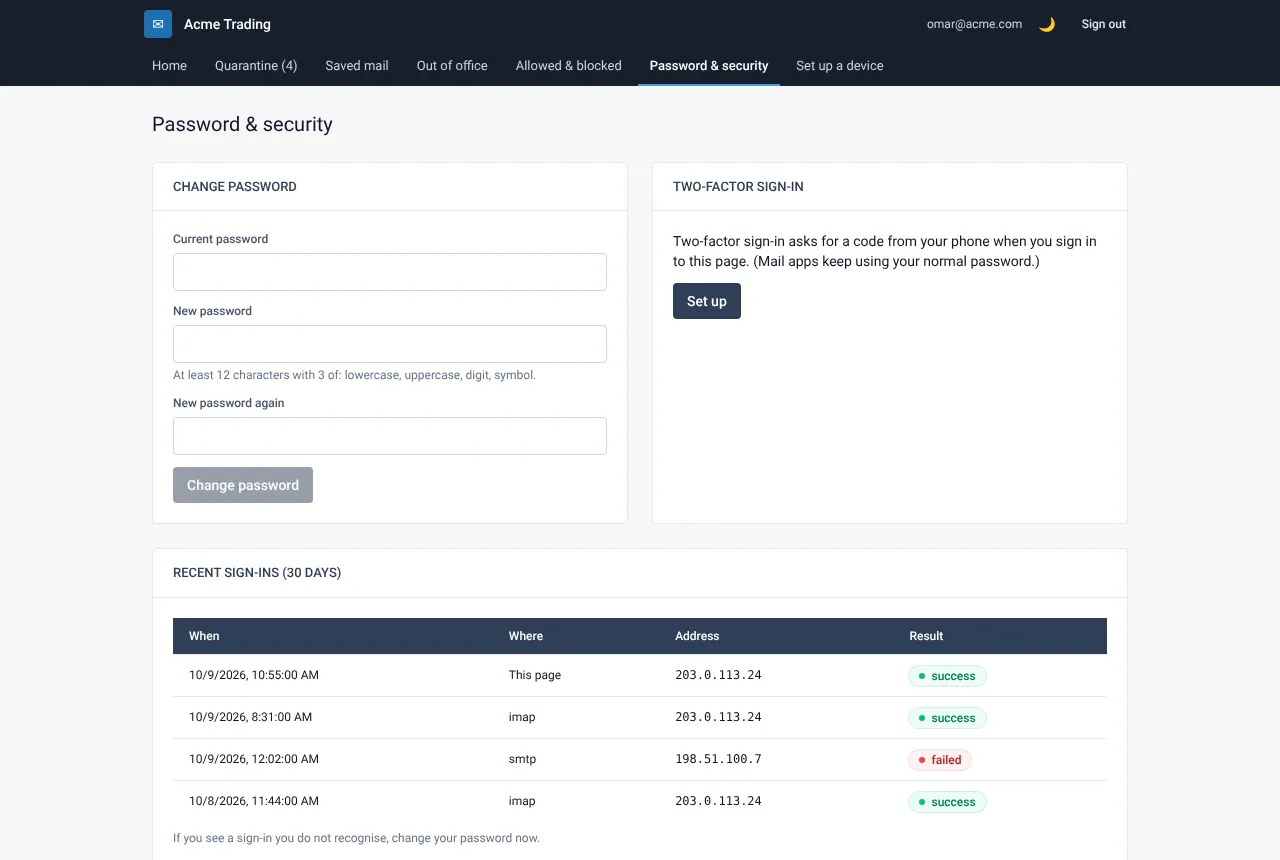
Fill in the form
Type your current password, then the new password twice. The new password needs at least 12 characters and three of these four kinds: lowercase letters, capital letters, digits and symbols.
Select Change password
A green message confirms the change. Your phone and mail apps will ask for the new password the next time they connect. Type it in once on each device.
If something goes wrong
The new password is refused
It is too short or too simple. Use 12 or more characters and mix lowercase, capital letters, digits and symbols. Do not reuse an old password.
My phone stopped receiving mail after the change
Open the mail settings on the phone and enter the new password for the account. See “Set up your phone or mail app”.
Related guides
Turn on two-factor sign-in
Add a six-digit code from your phone to My Account, so a stolen password alone is not enough.
Web Mail PortalCheck your recent sign-ins
See who signed in to your mailbox in the last 30 days and spot anything you do not recognise.
Web Mail PortalSet up your phone or mail app
Add your mailbox to an iPhone, Android phone, Outlook or Thunderbird with the right server settings.
Still need help?
Tell us what you were trying to do and what you saw on screen. We will help you finish it.